Continuous Kubernetes rightsizing engineers can trust





Patented HPA + VPA optimization
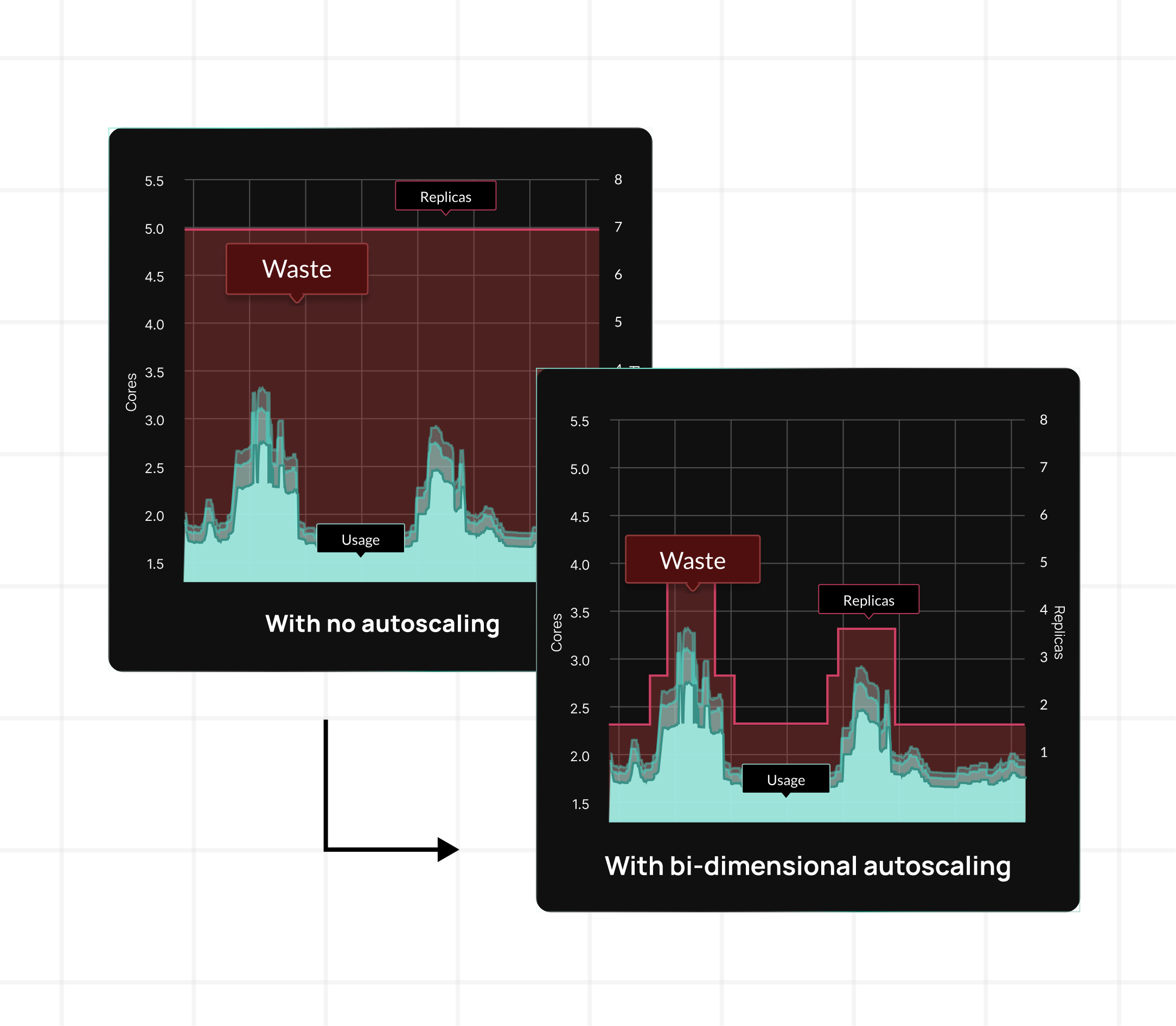
Other tools force you to change how you scale to fit their optimizer. Some replace your HPA entirely with proprietary autoscalers. Others adjust your replicas and target utilization independently — changing the scaling behavior your team designed and debugged in production.
StormForge was built differently. Optimize Live adjusts CPU and memory requests and recalculates HPA target utilization together — in one recommendation, applied as one atomic change, to maintain your existing scaling behavior and profile.
- Patented bi-dimensional autoscaling
- Built from the ground up, not bolted on
- HPA + requests updated in lockstep
- Your scaling behavior stays intact
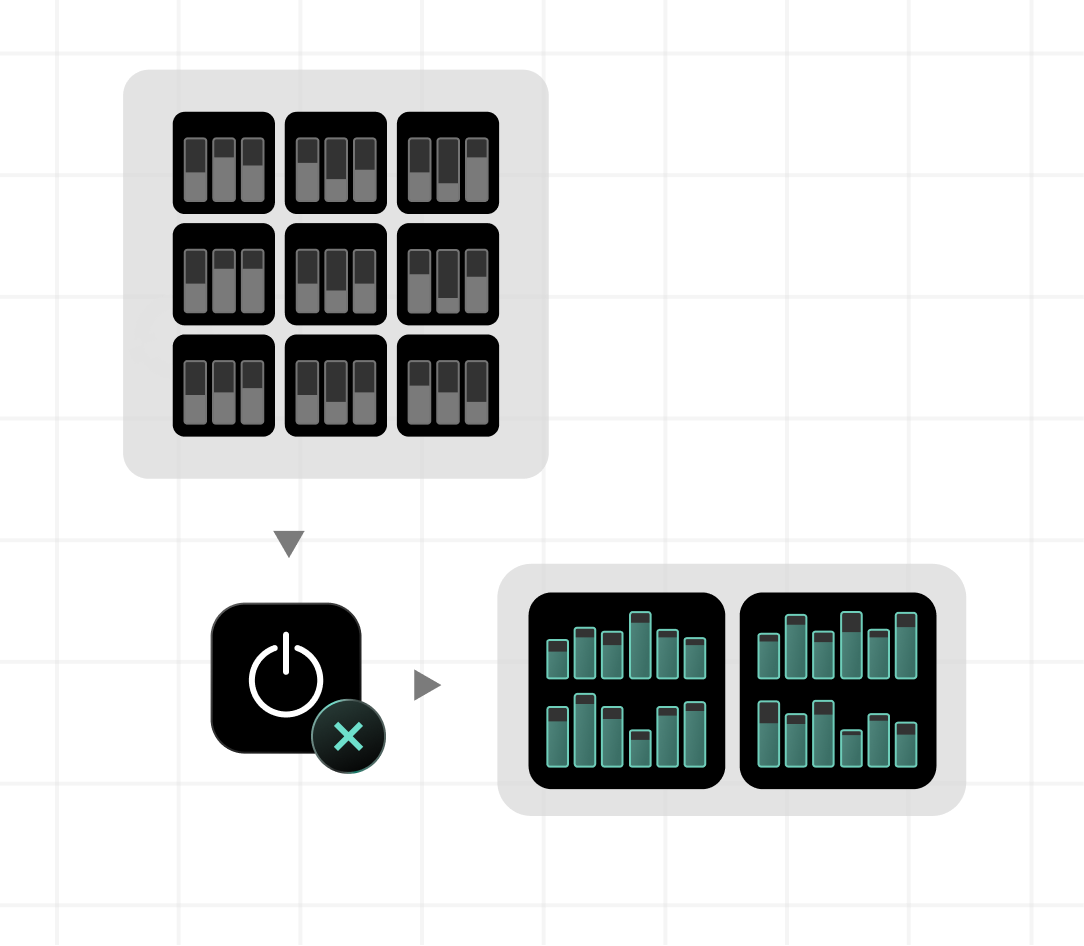
Right-size running pods. No restarts. No disruptions.
In-place resizing is table stakes. The real question: what happens when it can’t be applied? Most tools give you a binary outcome: it works or it doesn’t. StormForge gives you control.
- Immediate Rollout – Resize in place. Fall back to a controlled restart only if the kernel can’t accommodate the change.
- Hybrid Rollout – Resize what you can in place. Defer everything else to the next natural deployment. Zero unplanned disruption.
- Per-workload, per-namespace control – Match the rollout strategy to the risk profile of what’s actually running.
- Savings that don’t wait in a queue – Optimization happens continuously, not on a schedule.

“Stormforge has been a game-changer for our team. We’ve been able to effortlessly right-size our Kubernetes clusters and optimize our workloads saving our engineering teams hours on an ongoing basis.”
Your guardrails. StormForge optimizes within them.
“Zero configuration” sounds great on a demo, but it falls apart at 200 clusters. At enterprise scale, platform teams need to control what gets optimized, how aggressively, and who approved the policy. That requires real configuration, not a tool that treats governance as unnecessary.
- CR-driven configuration policy
- Layered configuration: cluster defaults → namespace → workload.
- Granular per-container, per-resource control
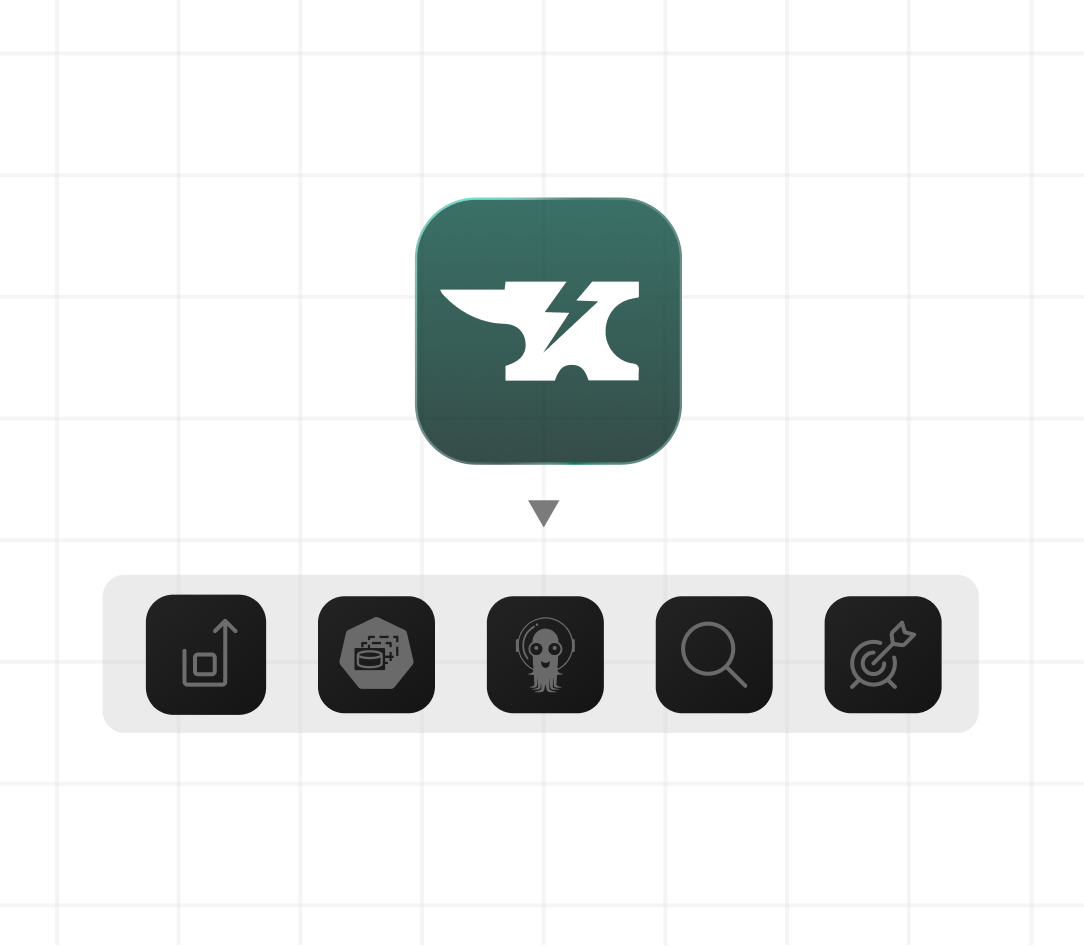
- Works alongside your GitOps tools like Argo CD and Flux
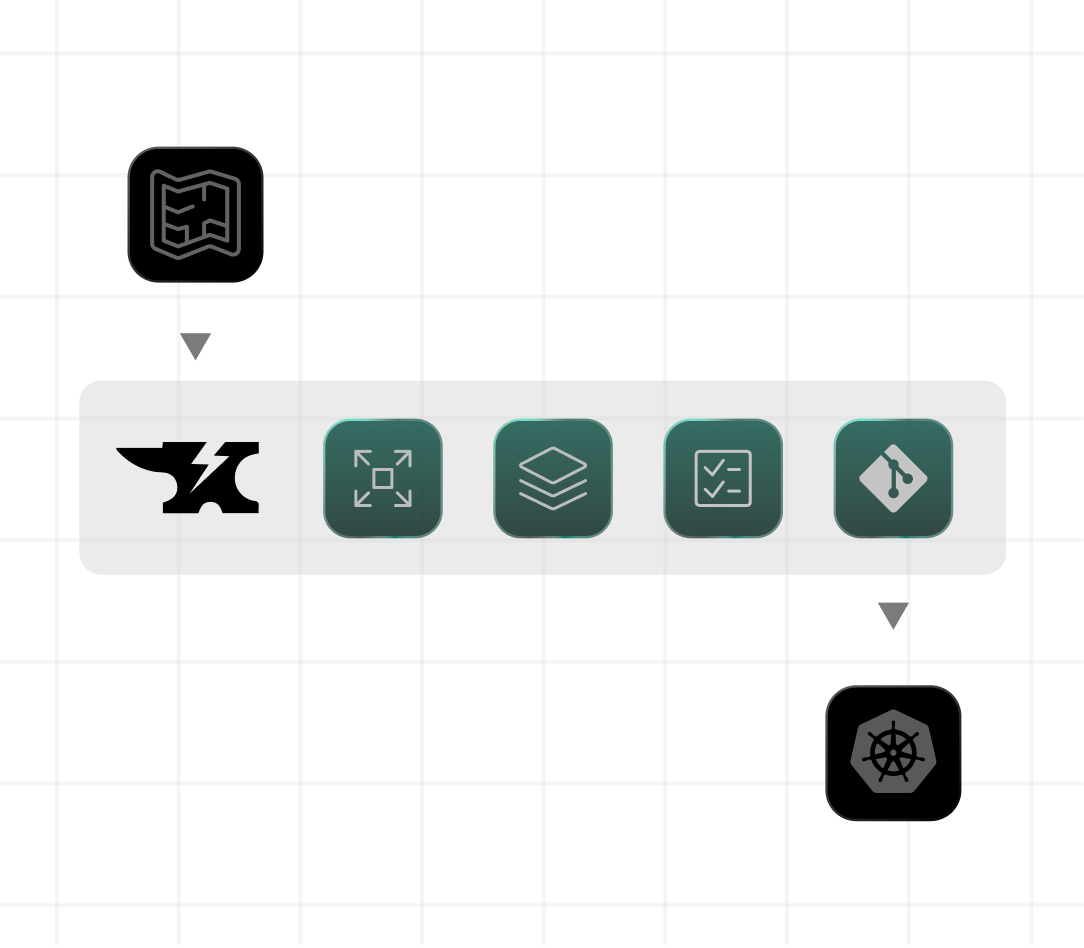
Not just deployments. Every workload type in your cluster.
Most optimization tools only understand vanilla Deployments and StatefulSets. Anything outside that — Argo Rollouts, custom controllers, operator-managed CRDs (custom resource definitions) — gets ignored or breaks on apply. StormForge optimizes them all.
- First-class Argo Rollouts support
- Custom resource types via PatchPaths
- Rollout validation built in
- Optimize what you actually run — not just what the tool supports
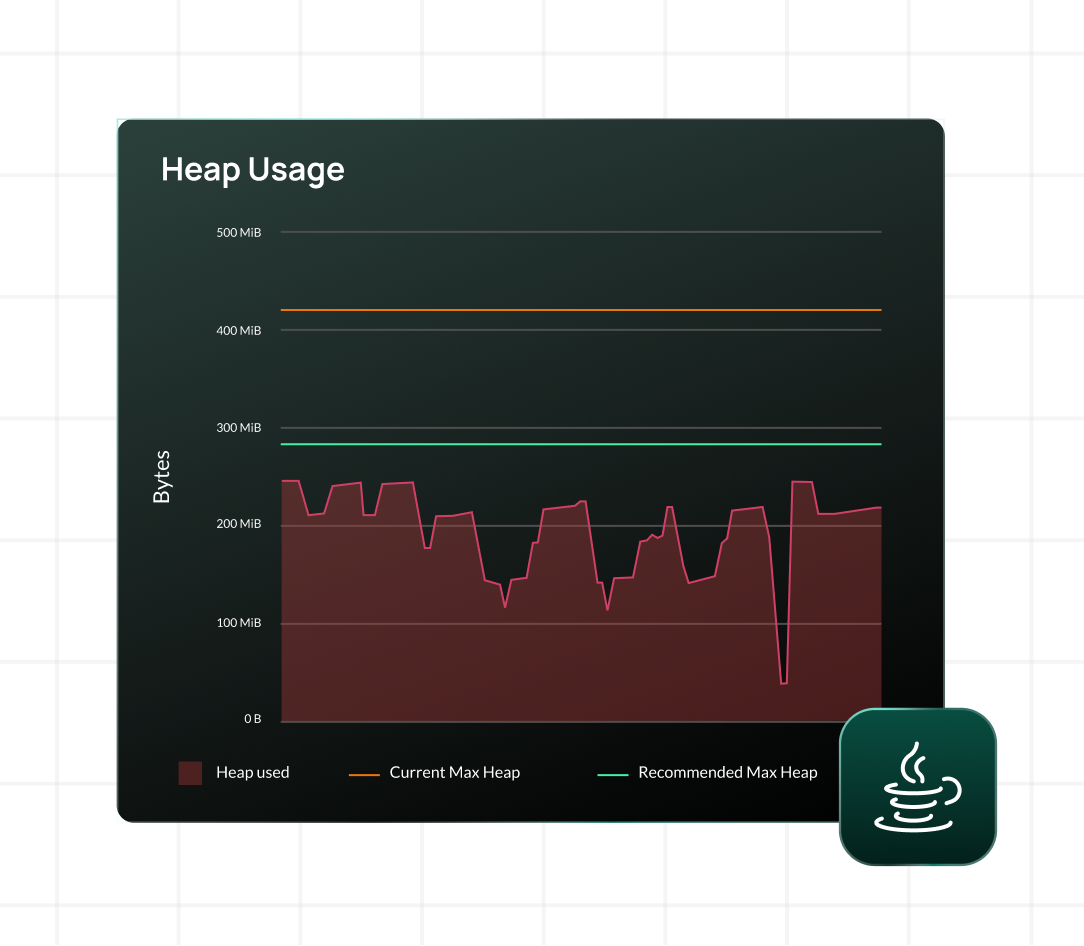
Automated max heap tuning. The #1 over-provisioned workload type in Kubernetes.
Java workloads are notoriously difficult to right-size. Teams set memory requests high to avoid OOM kills, then never touch them again — because JVM heap tuning is complex, risky, and deeply intertwined with container memory limits.
The result: Java pods running at 2–3x the resources they need, across every cluster, for years.
- Analyze JVM metrics directly.
- Max heap recommendations alongside container limits.
- Optimize both requests and limits simultaneously.
- Stop paying the “Java tax.”
- No guessing. No manual tuning. No “just-in-case” overprovisioning.
Feature highlights

ML-forecasting

Patented bi-dimensional scaling

JVM optimization

Policy automation

GitOps integration

Enterprise visibility
Why platform engineers choose CloudBolt
90% faster time-to-savings
From months to hours, for immediate cost reductions.
Reduced manual work
Eliminate repetitive, unsustainable resource tuning
Up to 85% in Kubernetes savings
Right-size workloads and reduce your node footprint.
99% allocation accuracy
Maximize node efficiency and avoid wasted spend.
What our customers say
Post implementation of [StormForge by CloudBolt], we were able to reduce our cost and the size our infrastructure by over 65% for our web nodes.
Stormforge has been a game-changer for our team. We’ve been able to effortlessly right-size our Kubernetes clusters and optimize our workloads saving our engineering teams hours on an ongoing basis. What truly sets Stormforge apart is their incredible team—not only is the tool easy to use, but the people behind it are professional, knowledgeable, and genuinely supportive. In a world of over-promising and under-delivering, Stormforge is a company that actually delivers on their promise. It’s a refreshing and valuable partnership.”
StormForge has added immediate gains by overall net-capacity savings due to overprovisioned workloads.
StormForge was easy for me to get up and running quickly, and we achieved immediate efficiencies that reduced our cloud costs and lowered the amount of toil we had from manually configuring requests.
Ready to put Kubernetes rightsizing on autopilot?
Start free trial

FAQs
-
Is StormForge delivered as a SaaS solution or available for on-premises deployment?
StormForge Optimize Live uses a hybrid architecture. The StormForge Agent runs entirely within your Kubernetes cluster (on-premises), collecting metrics and applying recommendations locally. The web application and machine learning control plane are SaaS-hosted, accessible at app.stormforge.io. This gives you the security of keeping your workload data within your environment while providing the convenience of a managed service for analysis and recommendations.
-
How is StormForge hosted within Kubernetes environments?
The StormForge Agent is deployed as a Helm chart directly into your Kubernetes cluster in the stormforge-system namespace. It runs alongside your applications, collecting metrics every 15 seconds and applying recommendations locally. The SaaS control plane processes the machine learning analysis and provides the web interface for viewing recommendations and configuring optimization settings. No application data leaves your cluster – only anonymized usage metrics are transmitted.
-
How can recommendations from StormForge be applied?
You have complete flexibility in how you apply recommendations. During the initial 7-day learning period, you can only apply recommendations manually for review. After that, you can: 1) Apply recommendations on-demand through the web UI with “Apply Now”, 2) Enable automatic deployment by setting the live.stormforge.io/auto-deploy annotation to “Enabled” for hands-free optimization, or 3) Integrate recommendations into your CI/CD workflow by downloading patches from the UI or using the StormForge CLI. You can also configure deployment thresholds to ensure only impactful changes trigger pod restarts.
-
What is the difference between autoscaling and rightsizing, and how does StormForge support both?
Yes, StormForge provides bi-dimensional autoscaling that combines both approaches. Horizontal autoscaling (like HPA) adds or removes pod replicas in seconds to handle traffic spikes, while vertical rightsizing continuously optimizes the CPU and memory requests and limits for each container over hours, days, and weeks. Unlike basic VPA tools that conflict with HPA, StormForge uses forecast-based machine learning to harmonize both dimensions. We optimize the resource settings of the pods that sit on your nodes (requests/limits), while tools like Karpenter optimize the nodes themselves. This gives you the best of both worlds – rapid scaling for performance and intelligent rightsizing for cost efficiency.
-
How do I know the savings numbers are accurate?
Unlike tools that estimate savings using public list prices, CloudBolt connects your optimization recommendations directly to your actual cloud bills. Savings projections reflect your negotiated rates, committed use discounts, and credits—so the numbers you see are the numbers you’ll actually realize.