
Your VCF 9 upgrade is more than a version change
VCF 9 isn’t just another VMware upgrade.
For many organizations, the move starts with licensing and support. VMware Cloud Foundation has moved to a subscription model, perpetual licenses can’t upgrade directly to VCF 9, and vSphere support timelines are putting additional pressure on infrastructure teams.
But VCF 9 also changes the underlying platform, including how management services are deployed and how Kubernetes and AI workloads are supported.

Licensing changes
Perpetual licenses can’t upgrade directly to VCF 9. Organizations need to transition to subscription licensing first.

A new management architecture
Management components move into VCF Management Services rather than operating as a collection of separate virtual appliances.

New workload capabilities
VCF 9 expands support for Kubernetes and AI workloads, including significant Kubernetes scaling and provisioning improvements.
Planning the upgrade?
See the architecture changes, prerequisites, sequencing requirements, and common upgrade pitfalls.
Read Part 1: The VCF 9 Upgrade →
The upgrade itself requires careful orchestration
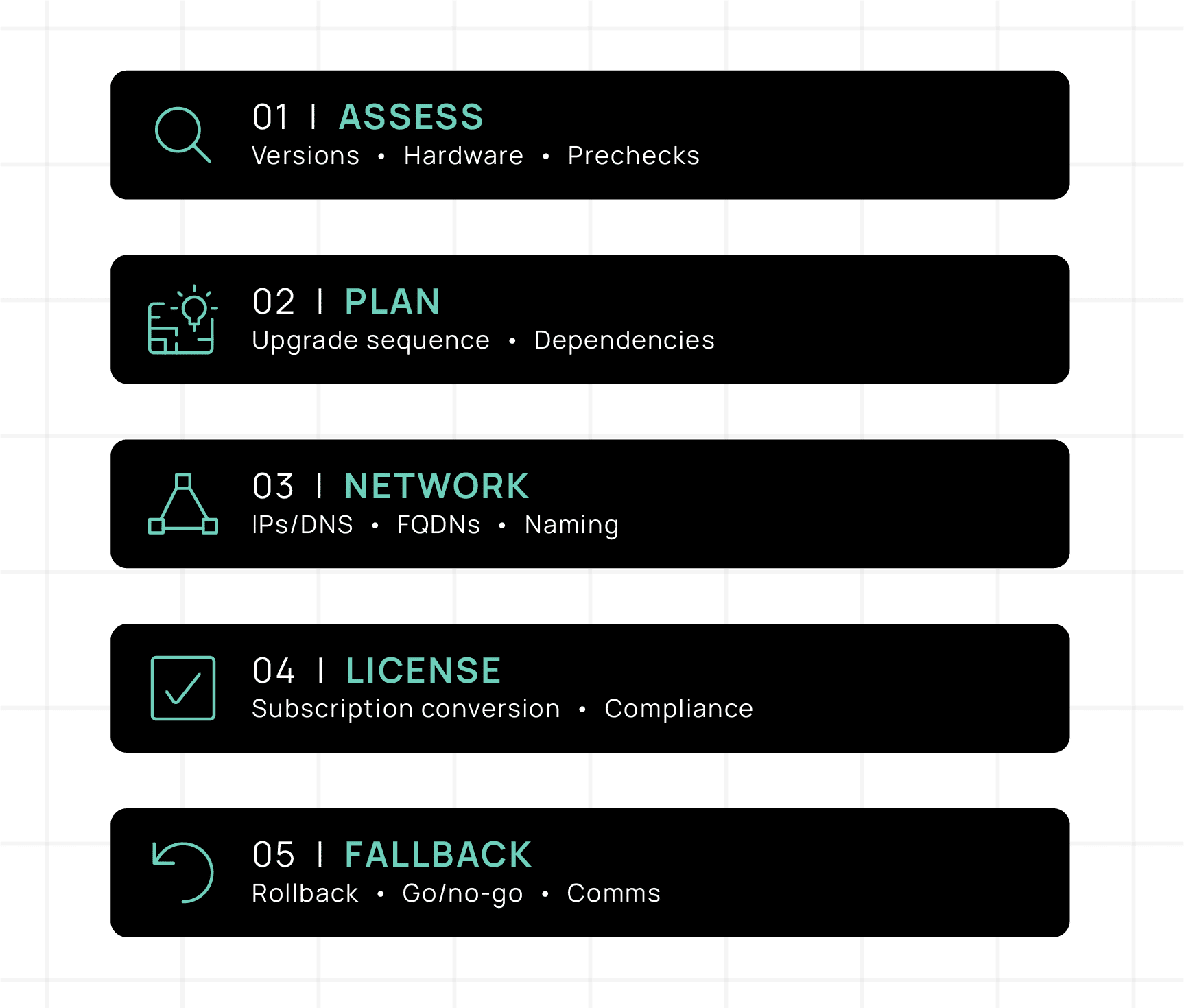
VCF upgrades span SDDC Manager, NSX, vCenter, ESX, and Aria/VCF Operations. Versions, dependencies, networking, licensing, and sequencing all have to line up before the maintenance window begins.
DNS mismatches can cause certificate failures, unsupported version combinations can break upgrade sequencing, and baseline-managed clusters may require remediation before they’re eligible for VCF 9.
See the complete VCF 9 upgrade checklist
Already planning the Aria upgrade? It’s worth considering another path.
Moving from Aria Automation to VCF Automation isn’t a simple version bump. It requires a new instance, data and configuration migration, integration validation, traffic cutover, and decommissioning of the original environment.
If you’re already doing the replatforming work, ask where you want that effort to take you.
Same starting effort. Two very different destinations.
Aria in VCF 9: Same Upgrade Effort, a Very Different Outcome
See what’s involved in the Aria-to-VCF Automation transition and how that effort compares with adopting CloudBolt CMP.
Read Part 2 →
Keep VMware today. Test what comes next.
Moving your control plane away from VMware doesn’t mean you have to move your workloads at the same time.
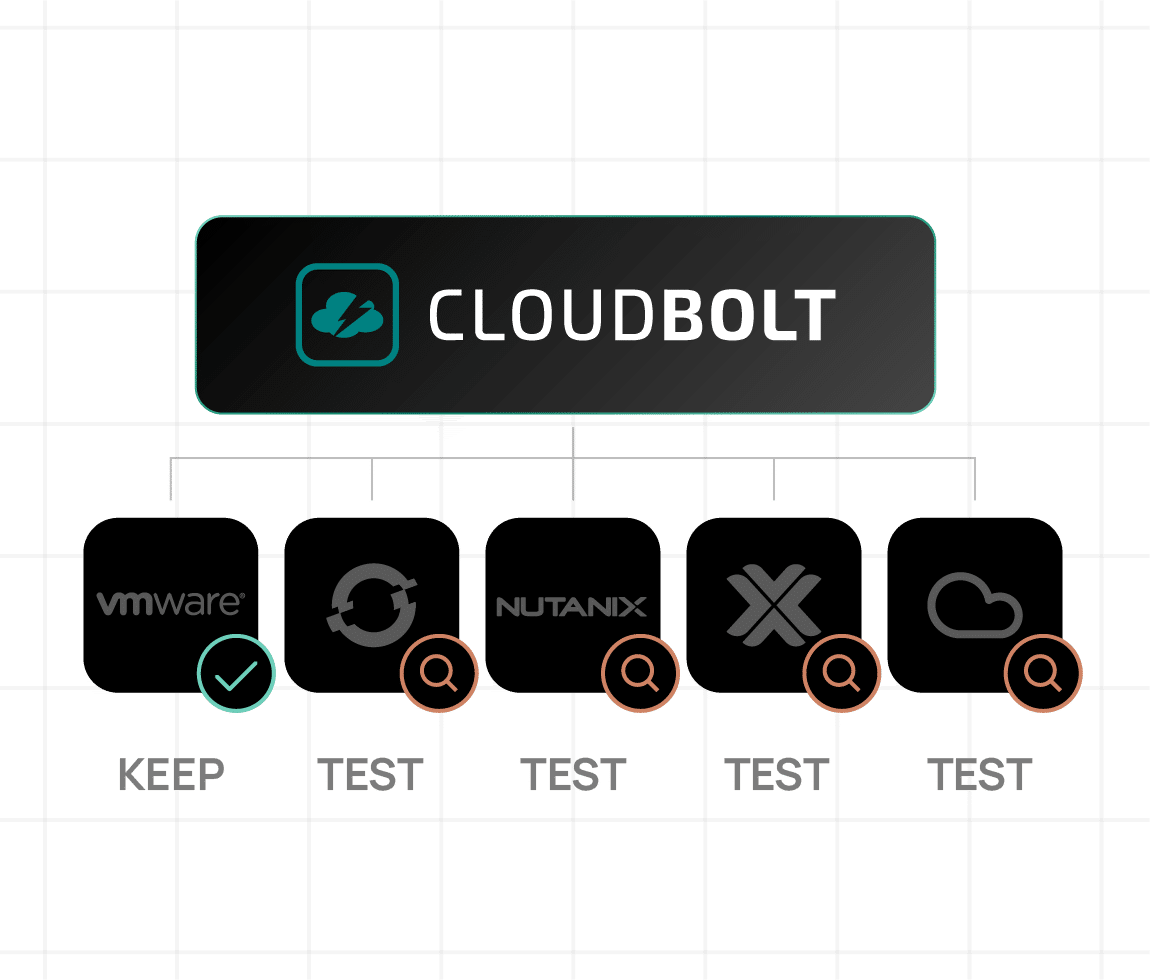
CloudBolt lets you continue managing VMware while testing other infrastructure under the same automation and governance model. That means you can evaluate different destinations with real workloads without committing your entire estate to one answer.
After the Aria Upgrade: Using CMP to Test Your Way Out of Broadcom
See how Nutanix, OpenShift Virtualization, Proxmox, and public cloud compare, and how CloudBolt lets you evaluate multiple paths without a forced cutover.
Read Part 3 →
Your VMware strategy doesn’t need to be all or nothing
Talk to an expert

Ready to learn more?
VMware Acquisition Aftermath
CII Reality Report VMware Acquisition Aftermath Broadcom’s $61 billion acquisition of VMware in November 2023 has created a seismic shift in the virtualization and cloud market. With significant changes in licensing, support, and partnership programs, IT leaders are facing crucial decisions under tight deadlines. Our latest research report, CII Reality Report: VMware Acquisition Aftermath, takes […]
Interactive cloud architecture builder
Interactive architecture builder Where does CloudBolt CMP fit in your stack? Select the platforms and tools you run today. This tool assembles your architecture with CloudBolt CMP as the control plane — and walks the full order of operations, from request to closed loop. Start from a scenario Regulated MSP / multi-cloud VMware exit Sovereign […]