


Up to 80% savings AND increased reliability in 30 days. Guaranteed.
The reason most teams overprovision isn’t laziness. It’s fear. Fear of OOMKills, throttling, and 2AM incidents. StormForge removes that tradeoff. You get lower costs and higher reliability, at the same time. And we’ll prove it in 30 days.


Your results are guaranteed
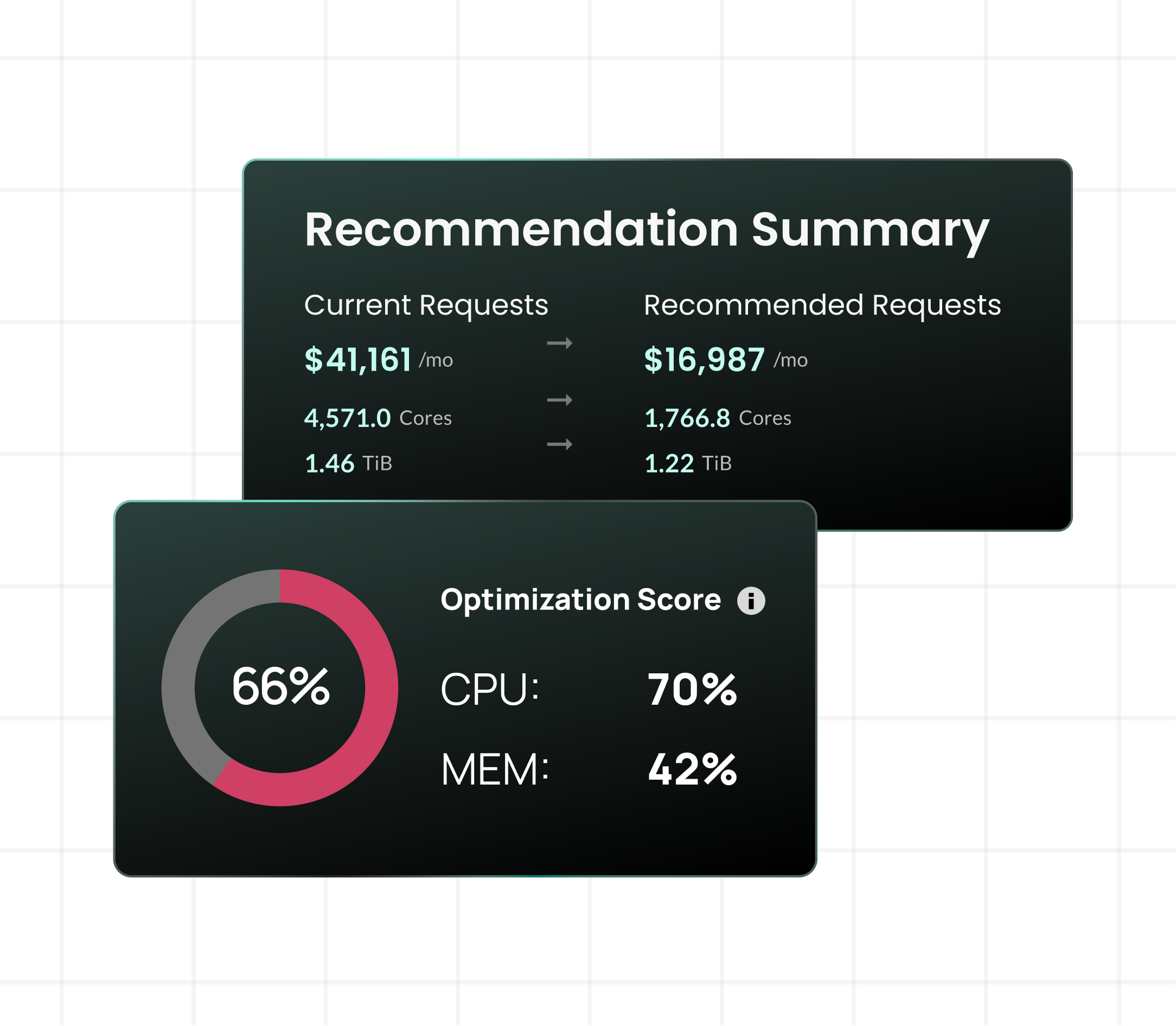
Most vendors ask you to take optimization on faith. StormForge puts a number on it. Deploy on your cluster and within 30 days you’ll see up to 80% reduction in Kubernetes resource waste while increasing reliability.
- Up to 80% waste reduction, guaranteed – no asterisk needed
- Reliability improved, not sacrificed – savings don’t come at the cost of stability
- Results in 30 days – most teams see meaningful impact within the first week
- Your cluster, your terms – Guarantee applies to your actual environment, not a demo
The guarantee
CUSTOMER STORY
How Positional became launch-ready
Positional’s CTO Matthew Lenhard was preparing for public launch on Amazon EKS with a small team and a cluster that wasn’t production-ready. Most workloads had no CPU or memory requests set. StormForge handled the rightsizing automatically, catching underprovisioned memory before it caused incidents and giving Lenhard recommendations he could apply with a single command before switching to auto-deploy.

75% CPU resources savings

46% overall cost reduction

Memory underprovisioning caught and resolved


“With Karpenter and StormForge, it’s less of a balancing act between cost and availability — you get the best of both worlds where you can stay online, stay available, without worrying about over-provisioned resources eating up your AWS bill.”
— Matthew Lenhard, Co-founder & CTO, Positional
How StormForge protects reliability while reducing waste
StormForge’s ML accounts for the full picture of how each workload behaves, not just average utilization. Every recommendation is designed to improve reliability and reduce cost simultaneously.
- Per-workload ML models
- OOM response built in
- HPA + vertical scaling coordinated
- In-place resizing
- Review before you automate
- Configurable guardrails
CUSTOMER STORY
How Acquia built trust in automation
Acquia runs tens of thousands of unique customer workloads on Kubernetes. Their challenge wasn’t just cost. It was proving automated optimization could be trusted not to break availability. They started with manual weekly recommendations, then moved to daily auto-deploy as the data built confidence.
65% cost reduction

99.99% availability

Reduced migration time from 18 months to 8 months

“There’s two reasons why we trust it. One, we watched it. After a period of time, we just have the data to back it up — these things do tend to be accurate. The other reason is that for our workloads, it’s a little silly to imagine that a human can do better.”
— Wil Reed, Principal Software Architect, Acquia
Reduce waste. Increase reliability. Guaranteed.
Start free trial

Related resources
The Kubernetes Automation Trust Gap No One Talks About
CloudBolt Research Report — March 2026 The Kubernetes Automation Trust Gap No One Talks About The selective distrust of autonomous Kubernetes rightsizing, and how to overcome it. 321 Respondents| Enterprise Orgs (1,000+)| 100% Kubernetes Practitioners 00Executive summary 01Automation is doctrine 02The moment trust breaks 03High belief, low delegation to automation 04This isn’t irrational 05Scale vs. […]
How Acquia cut web node infrastructure by 65% with continuous Kubernetes rightsizing
Acquia modernized a platform that previously ran on roughly 26,000 EC2 nodes by moving to Kubernetes. The goal wasn’t just containerization—it was elastic scaling for traffic spikes without relying on fixed “small/medium/large” sizing. Results at a glance 65% reduction in web node footprint 99.99% availability delivered consistently 26,000 EC2 nodes as the legacy baseline modernized […]
Automating Kubernetes rightsizing and container-level cost allocation
Platform teams have spent years squeezing more efficiency out of Kubernetes. The real pressure hits when your AWS bill rises and nobody can confidently map spend back to workloads, teams, or tenants. In this session, AWS and CloudBolt walk through a practical “better together” approach: EKS Auto Mode reduces day-to-day cluster overhead (compute, patching, upgrades), […]
FAQs
-
Why do most Kubernetes teams struggle to act on rightsizing recommendations?
Deploying resource changes in production carries real risk, requests affect HPA behavior, workloads behave unpredictably, and platform teams don’t have time to tune every service manually. So recommendations accumulate but never get applied. StormForge closes this gap by automating the deployment process with safety guardrails, gradual rollout, and continuous health validation, so optimization actually happens.
-
How does StormForge guarantee 80% savings without risking reliability?
StormForge builds a dedicated ML model for each workload, analyzing actual usage patterns rather than applying average-based recommendations. It accounts for traffic spikes, GC overhead, and scaling behavior before recommending any change. OOM response automatically increases memory if an incident occurs and learns from it. The result is recommendations that are safe to apply, not just mathematically optimal.
-
How is StormForge different from the Kubernetes VPA?
The VPA requires pod restarts to apply changes and conflicts with HPA when both are active. StormForge coordinates vertical pod sizing and HPA target utilization together in one atomic change, so scaling behavior stays stable. It also supports in-place resizing without restarts where possible, and works across workload types the VPA doesn’t handle, including Argo Rollouts, custom CRDs, and JVM workloads.
-
How quickly will we see results?
Most teams see initial recommendations within days of installation. Meaningful cost reductions typically appear within the first week. The 30-day guarantee gives you a full month to see the impact on your actual cluster, not a projected estimate.
-
Do we have to turn on full automation straight away?
No. StormForge is designed to let teams build confidence at their own pace. Start with recommendations you review and apply manually. When you’re ready, enable auto-deploy with configurable thresholds that control how aggressively changes are applied. Most teams move to daily auto-deploy once they have a week or two of data to back it up.
-
Does StormForge work with our existing tools?
Yes. StormForge integrates with ArgoCD, Flux, and standard Kubernetes pipelines via admission webhooks, no changes to manifests or GitOps config required. It supports all major workload types and connects savings projections directly to your actual cloud bill, not public list prices.
-
What does the 30-day guarantee actually cover?
The guarantee covers 80% reduction in Kubernetes resource waste measured against your actual workload consumption, with no degradation in application reliability. It applies to your real cluster and real workloads, not a demo environment or a subset of services.