When multiple teams deploy applications on shared Kubernetes infrastructure, resource competition often becomes a problem. Without proper controls, a single application can monopolize cluster resources, causing performance degradation across all workloads. Managing those resources is a key skill for any cluster administrator.
In this article, we review how to manage resources through the Kubernetes ResourceQuota object, a mechanism through which a cluster administrator can better control limited compute resources and Kubernetes objects.
Key concepts related to Kubernetes resource quotas
| Concept | Description |
|---|---|
| Resource quota fundamentals | Resource quotas are Kubernetes objects that provide constraints limiting aggregate resource consumption by namespace, helping administrators control resource utilization across multi-tenant environments. |
| Compute resource quotas | These quotas control CPU and memory allocation with configurable limits on both requests and limits to achieve a fair distribution of computational resources and prevent resource monopolization. |
| Storage quotas | You can manage persistent storage resources by limiting the total storage capacity, number of persistent volume claims, and specific storage class usage within namespaces. |
| Object count quotas | Object count quotas restrict the number of Kubernetes objects—like pods, services, configmaps, and secrets—preventing namespace sprawl and maintaining control over object proliferation. |
| Quota scopes | Apply these quotas selectively to specific workload types (BestEffort, NotBestEffort, etc.) or priority classes for more targeted resource management. |
| Default quotas | Namespace defaults, implemented through LimitRange objects, ensure that all containers have appropriate resource constraints, even when not explicitly specified. |
| Monitoring and compliance | Track quota usage through Kubernetes API, kubectl, metrics tools, and dashboards to proactively manage resource allocation. |
| Integration with other features | Combine resource quotas with complementary features like priority classes, pod disruption budgets, and limit ranges for comprehensive resource governance. |
| Common challenges | Challenges include issues like quota-related scheduling failures, resource starvation, scaling limitations, and emergency resource allocation, all of which can be addressed through proper planning and policies. |
Resource quota fundamentals
Resource quotas allow cluster administrators to control resource consumption across multiple teams and applications sharing a Kubernetes cluster. They operate at the namespace level, enforcing hard constraints on the aggregate resource usage within that namespace.
Consider a resource quota to be a budget for your namespace. Once defined, Kubernetes strictly enforces this budget through the ResourceQuota admission controller by rejecting the creation of resources that would exceed the established limits. This enforcement happens during object creation, not retroactively, keeping resources within defined boundaries.
Here’s a simple example of a resource quota that limits both compute and object resources:
apiVersion: v1
kind: ResourceQuota
metadata:
  name: compute-resources
  namespace: team-alpha
spec:
  hard:
    requests.cpu: "4"
    requests.memory: 8Gi
    limits.cpu: "8"
    limits.memory: 16Gi
    pods: "10"
This quota restricts the team-alpha namespace to a maximum of 10 pods, with the sum of all CPU requests across all pods capped at 4 cores (with the sum of limits at 8), and the total memory requests limited to 8 GiB (with total limits at 16 GiB).
Here’s how this quota enforcement would work in practice:
- If you try to create 5 pods, each requesting 1 CPU core, that would total 5 CPU cores requested, exceeding your 4-core limit.
- You could successfully create 4 pods requesting 1 CPU each, consuming your full CPU request quota.
- You could create 2 pods requesting 2 CPU cores each, also consuming your full 4-core quota.
- If you used up your 4 cores, any attempt to create additional pods would be rejected.
Resource quotas become particularly valuable as your Kubernetes environment grows and more teams share the same infrastructure.
CloudBolt delivers continuous Kubernetes rightsizing at scale—so you eliminate overprovisioning, avoid SLO risks, and keep clusters efficient across environments.
Types of resource quotas
Kubernetes supports several types of resource quotas, each addressing different aspects of cluster resource management. These are the Compute, Storage, and Object-Count quotas. Let’s review each of them.
Compute resource quotas
Compute resource quotas control CPU and memory allocation, which are typically the most contentious resources in a Kubernetes cluster. They can limit both resource requests (guaranteed minimums) and limits (enforced maximums), as shown below.
spec:
  hard:
    requests.cpu: "20"       # Total CPU cores requested
    requests.memory: 30Gi    # Total memory requested
    limits.cpu: "40"         # Total CPU limits
    limits.memory: 60Gi      # Total memory limits
When implementing compute quotas, start with larger allowances and gradually tighten them as you come to better understand actual usage patterns. Monitor application performance carefully when adjusting quotas to avoid disrupting critical workloads.
For CPU and memory quotas to be effective, pods must specify resource requests (and limits, if you’re limiting those). Pods without resource specifications are not counted against compute resource quotas. This can lead to unexpected quota behaviour where seemingly unlimited pods can be created despite having quotas in place.
Pairing resource quotas with LimitRanges (discussed later) addresses this limitation. LimitRanges automatically assign resource specifications to containers that lack them, making quota enforcement predictable and effective.
Storage quotas
For data-intensive applications, storage often represents a significant cost. Storage quotas help manage these costs by limiting persistent storage consumption.
Storage quota specifications can control several aspects of storage usage:
- Total storage capacity: Limit the aggregate amount of storage that can be requested.
- Number of PVCs: Control how many persistent volume claims can exist.
- Storage by class: Set different limits for different storage types (SSD, HDD, etc.).
Here’s an example storage quota that demonstrates these controls:
spec:
  hard:
    persistentvolumeclaims: "10"              # Total number of PVCs
    requests.storage: 500Gi                   # Total storage requested
    ssd.storageclass.storage.k8s.io/requests.storage: 300Gi  # Storage by class
When implementing storage quotas, consider both capacity and performance requirements. Storage quotas control the amount of storage that can be requested, but performance characteristics like IOPS are typically managed at the storage class or storage system level. Some applications might use less storage but require high-performance storage classes, while others might consume large volumes with standard performance requirements. Tailor your quotas accordingly.
Organizations often struggle with legacy applications not designed with storage constraints in mind. For these cases, implement tiered storage classes with different quotas, guiding teams to appropriate storage resources based on their performance needs.
This practical FinOps playbook shows you exactly how to build visibility, enforce accountability, and automate rightsizing from day one.
Object count quotas
Object count quotas limit the number of various Kubernetes resource types that can exist within a namespace. This prevents namespace sprawl and helps you maintain control over object proliferation.
Object count quotas can control several types of Kubernetes resources: Pods, Services, ConfigMaps and Secrets.
Here’s an example object count quota that demonstrates these controls:
spec:
  hard:
    pods: "50"
    services: "10"
    configmaps: "20"
    secrets: "30"
    persistentvolumeclaims: "5"
In the above example, the pods: "50" quota means that you can create up to 50 pods regardless of whether each pod requests 100m CPU or 4 CPU cores. Note that the quota only counts the number of pod objects, not their resource consumption. Similarly, the secrets: "30" quota allows 30 secret objects, whether each secret contains a single password or multiple certificates and keys.
Object count quotas are particularly valuable in development and testing environments where uncontrolled object creation can quickly overwhelm a cluster. They also help maintain discipline in production environments by encouraging teams to clean up unnecessary resources.
When implementing object quotas, consider the application’s architecture. Microservices naturally require more objects than monolithic applications, so tailor quotas to the architectural pattern rather than applying a one-size-fits-all approach.
Advanced quota concepts
Beyond basic quota types, Kubernetes offers more sophisticated quota mechanisms for fine-grained resource management.
Quota scopes
Quota scopes allow administrators to apply quotas selectively to certain types of workloads. This capability enables more targeted resource policies based on workload characteristics.
Kubernetes supports several quota scopes:
- BestEffort: Applies to pods that don’t specify resource requests or limits
- NotBestEffort: Applies to pods that specify at least one resource request or limit
- PriorityClass: Limits resources based on pod priority classes
Quota scopes are specified in the quota definition, as shown below.
apiVersion: v1
kind: ResourceQuota
metadata:
  name: best-effort-quota
  namespace: dev-team
spec:
  hard:
    pods: "10"
  scopes:
    - BestEffort
This example limits the number of BestEffort pods (those without resource requests and limits specifications) to 10 in the dev-team namespace while allowing unlimited pods with resource specifications.
Scoped quotas enable more nuanced resource management policies. For instance, you might allow development namespaces to run unlimited best-effort workloads but strictly limit their guaranteed-resource workloads.
Default quotas and limit ranges
While resource quotas control namespace-wide consumption, LimitRange objects enable setting defaults and constraints for individual containers within a namespace. Together, they form a comprehensive resource management strategy.
A typical LimitRange for container defaults might look like the code example below.
apiVersion: v1
kind: LimitRange
metadata:
  name: default-limits
  namespace: team-beta
spec:
  limits:
  - default:
      memory: 512Mi
      cpu: 500m
    defaultRequest:
      memory: 256Mi
      cpu: 200m
    type: Container
This LimitRange automatically assigns default values to any container created without explicit resource specifications. It complements resource quotas by giving all workloads appropriate resource specifications, which prevents quota violations from containers that lack resource definitions.
LimitRange objects can also enforce minimum (min) and maximum (max) resource constraints, as well as limit-to-request ratios (maxLimitRequestRatio).
It’s important to note that LimitRange applies constraints and defaults to individual containers and pods at creation time, while ResourceQuota tracks and limits the aggregate consumption across all resources in the namespace.
Organizations often implement standardized limit ranges across all namespaces to establish baseline resource specifications and then adjust resource quotas based on team-specific needs. This approach creates a consistent foundation for resource management while supporting team-specific requirements.
Implementing resource quotas
Proper implementation of resource quotas requires careful planning and ongoing management to ensure that they support application teams rather than hindering them.
Creating and managing resource quotas
To create a resource quota, define the quota specification in a YAML file, like this:
apiVersion: v1
kind: ResourceQuota
metadata:
  name: team-alpha-quota
  namespace: team-alpha
spec:
  hard:
    # Compute resources
    requests.cpu: "4"
    requests.memory: 8Gi
    limits.cpu: "8"
    limits.memory: 16Gi

    # Storage resources
    requests.storage: 100Gi
    persistentvolumeclaims: "10"

    # Object count limits
    pods: "20"
    services: "5"
    configmaps: "10"
    secrets: "15"
Next, apply it in the cluster:
kubectl apply -f quota.yaml
Verify that it has been created and check current usage:
kubectl describe resourcequota -n team-alpha
This command shows both the quota limits and current usage, helping administrators track consumption over time.
While resource quotas can be modified to any value, reducing limits below current usage has practical implications. If current usage exceeds the new lower limit, no new resources can be created until usage drops below the limit. Be sure to plan quota reductions carefully to avoid disrupting team workflows.
Monitoring quota usage
Regular monitoring of quota usage helps prevent surprises and allows proactive management. Several approaches are available:
- Use
kubectl describe resourcequotafor point-in-time checks. - Implement Prometheus metrics for historical tracking.
- Create dashboards in Grafana or similar tools for visualization.
- Set up alerts for approaching quota limits (typically at 80-90%).
For larger environments, consider implementing custom controllers that can automatically adjust quotas based on historical usage patterns and business priorities. Automation of this type reduces manual intervention while maintaining efficient resource utilization.
Engineers often struggle with quota-related errors because they lack visibility into namespace quotas. Providing self-service dashboards showing current usage and limits empowers teams to manage their resource consumption proactively.
Common challenges and solutions
Implementing resource quotas inevitably surfaces challenges that require careful attention and strategic solutions.
Resource competition challenges
Common resource competition issues include:
- Scheduling failures: Pods failing to schedule due to insufficient remaining quota
- Scaling limitations: HPA-managed workloads that are unable to scale during traffic spikes
- Startup contention: Application initialization requiring temporarily higher resource allocation
To address these challenges:
- Implement separate quotas for resource requests and limits, allowing overcommitment where appropriate.
- Create buffer capacities for critical services using priority classes.
- Consider implementing borrowing mechanisms between related namespaces.
- Establish clear escalation paths for emergency quota adjustments.
For instance, a production ecommerce platform might implement different quotas for normal operations versus peak shopping periods. During normal times, tighter quotas encourage efficiency, while expanded quotas during peak periods provide necessary headroom.
Quota management challenges
Beyond technical issues, organizational challenges often arise:
- Uneven resource allocation: Some teams consume far more resources than others.
- Policy enforcement: Applying quotas consistently across environments can be an issue.
- Capacity planning: Aligning quota policies with infrastructure growth is an ongoing process..
Address these challenges through:
- Regular quota audits and adjustments
- Clear documentation of quota rationales and policies
- Automated reporting on resource efficiency
- Chargeback or showback mechanisms to create awareness
Many organizations implement resource efficiency reviews as part of their development lifecycles. Teams review their resource usage quarterly, identifying optimization opportunities and adjusting quotas accordingly.
Integrating resource quotas with other Kubernetes features
Resource quotas are most effective when implemented alongside complementary Kubernetes features to create a comprehensive resource management strategy.
Complementary resource management tools
Several Kubernetes features work well with resource quotas:
- Pod priority and preemption allow critical workloads to claim resources even in constrained environments.
- Pod disruption budgets maintain service availability during resource pressures.
- Node selectors and affinity rules direct workloads to appropriate infrastructure.
- Taints and tolerations reserve specialized resources for specific workloads.
Critical applications often combine multiple Kubernetes features. Priority scheduling guarantees that these applications get resources first. Pod disruption budgets maintain minimum availability during cluster maintenance, while node selectors place workloads on appropriate infrastructure.
Automated resource management
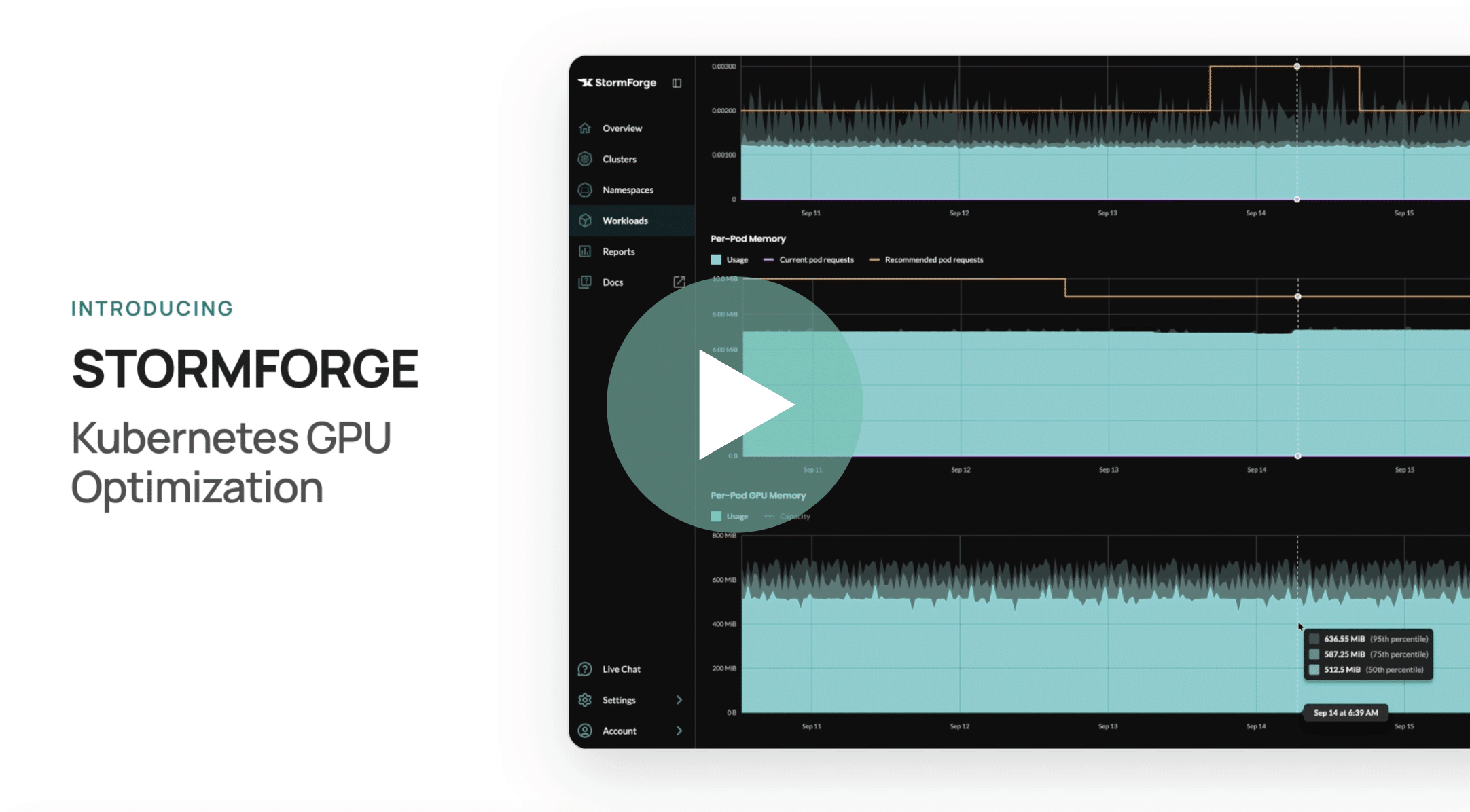
As environments grow, manual quota management becomes increasingly challenging. Automated approaches include historical usage analysis for setting appropriate quotas, continuous rightsizing of workloads based on actual consumption, machine learning-based prediction of resource needs as performed by solutions like StormForge’s Optimize Live, and automated quota adjustment based on usage patterns.
However, integrating quotas with scaling mechanisms presents challenges. For starters, the Horizontal Pod Autoscaler (HPA) doesn’t natively understand resource quotas: When HPA attempts to scale beyond the available quota, replica creation fails, potentially causing application performance issues during traffic spikes. Address this by setting quotas with sufficient headroom for expected scaling or implementing quota monitoring that alerts before limits are reached.
Based on real-world implementation experience, these best practices help organizations maximize the benefits of resource quotas:
- Start with monitoring before enforcement: Begin by setting resource quotas with high limits to watch actual usage across your namespaces. Use monitoring tools like Prometheus to track consumption for several weeks. This data shows you peak usage patterns and helps you set realistic quotas that support real workload needs without blocking legitimate resource requests.
- Design clear exception processes: Create documented steps for temporary quota increases during traffic spikes or emergency deployments. Set up approval workflows that let teams request quota bumps with proper reasons. Include time limits on exceptions and automatic rollbacks so temporary changes don’t become permanent problems.
- Standardize container resources across workload types: Build resource templates for common application types in your organization. Create standard profiles for web services, background jobs, and databases. This makes quota planning easier and helps teams pick the right resource specs without guessing. Document these standards with examples for each type.
- Apply environment-specific quota policies: Use stricter quotas in production and looser ones in development and testing. Production quotas should match your actual capacity planning, while dev environments can be more flexible for testing. Make staging quotas match production so you catch resource problems before they go live.
- Implement tiered quota structures: Create different quota levels based on how critical applications are. Important applications get generous quotas and priority access to resources. Less critical workloads get tighter limits, which encourages efficient resource use. Use separate namespaces for each tier since quotas can’t tell applications apart within the same namespace.
- Schedule regular quota reviews: Check quota usage quarterly across all namespaces. Look at actual consumption versus what you allocated, find wasted resources, and adjust quotas when application needs change. Include team feedback and growth planning in these reviews so quotas match both current and future needs.
Many organizations use tier-based quotas that match how critical their applications are. You need separate namespaces for each tier because resource quotas apply to entire namespaces, not individual apps. Critical applications run in their own namespaces with high quotas and room to scale. Less important applications get separate namespaces with stricter limits. This setup keeps critical and non-critical workloads separate while pushing teams to use resources efficiently.
The airline analogy translates complex cluster economics into language your execs, engineers, and FinOps teams can all understand.
Conclusion
Kubernetes resource quotas provide essential guardrails for multi-tenant clusters, preventing resource contention while encouraging efficient resource utilization. When properly implemented alongside complementary features like limit ranges and priority classes, they create a comprehensive resource governance framework.
Start by monitoring actual resource consumption, then implement gradually tightening quotas based on observed patterns. Combine quotas with automated monitoring and rightsizing approaches to reduce administrative overhead while maintaining optimal resource allocation.


Related Blogs
Where GPU waste hides on Kubernetes
GPUs are the most expensive resource most teams run, and the hardest to account for. On Kubernetes, where pods share…