Microsoft Cloud Solution Provider (CSP) automation transforms how managed service providers handle customer provisioning, billing reconciliation, and subscription management across Azure and Microsoft 365 services.
Effective CSP automation requires integrating Microsoft Partner Center APIs with billing systems, customer management platforms, and provisioning workflows. As MSPs scale their operations, manual CSP management becomes increasingly complex and error-prone, making automation essential for competitive service delivery.
This article explains best practices and operational considerations for CSP automation in multi-cloud environments.
Summary of key Microsoft CSP automation concepts
| Concept | Description |
|---|---|
| CSP API integration fundamentals | APIs enable
|
| Automated customer lifecycle management | Streamlines customer onboarding through API-driven tenant creation, subscription assignment, and Azure AD configuration. Maintains compliance and security policies across multiple customer environments. |
| Billing automation and reconciliation | Partner Center billing APIs automate
|
| Multi-cloud provisioning workflows | Extends CSP automation beyond Microsoft services to include AWS, Google Cloud, and private cloud resources. Creates unified customer provisioning experiences across diverse infrastructure platforms. |
| Operational monitoring and governance | Implements automated monitoring of customer resource usage, compliance status, and service health across CSP environments.Maintains centralized governance and reporting capabilities. |
| Security and compliance automation | Automates security policy enforcement, compliance monitoring, and access management across customer tenants. Uses Azure AD, conditional access policies, and Microsoft security frameworks. |
Stop losing time (and margins) to spreadsheets and manual reconciliation. CloudBolt’s Cloud Billing Platform gives you accuracy, automation, and control at scale—so you can focus on growing your business, not fixing billing errors.
Understanding Microsoft CSP automation fundamentals
The Partner Center API provides the technical foundation for CSP automation, handling authentication, subscription management, and billing operations. MSPs working with multiple customer tenants face significant challenges when relying on manual interactions in the Partner Center portal, particularly during rapid customer onboarding or month-end billing reconciliation.
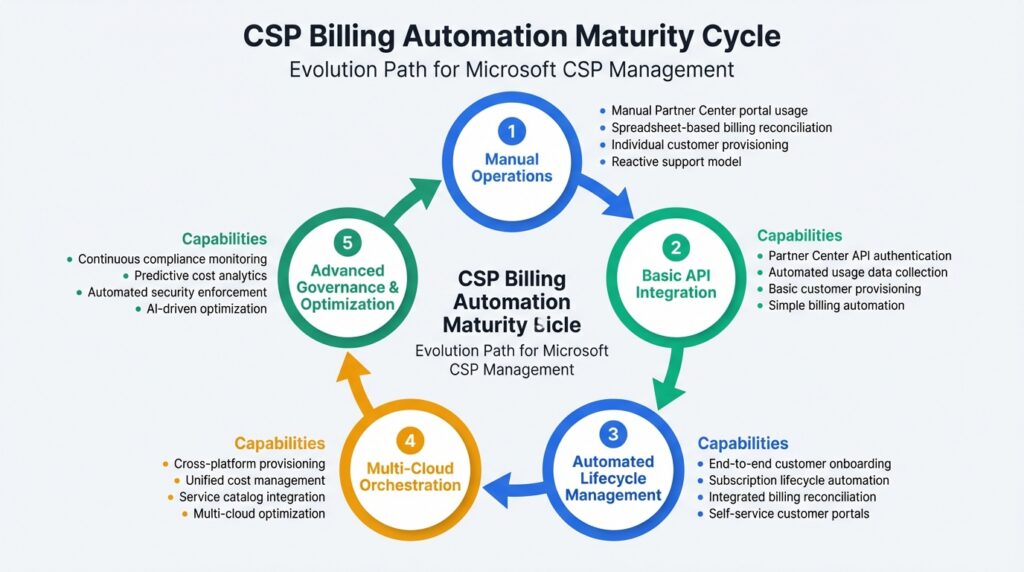
In this article, we will cover CSP automation concepts at increasing levels of sophistication, starting from basic API integration to implementing an advanced governance framework, as described in the maturity model diagram below.
Partner Center API architecture and authentication flows
Microsoft’s Partner Center API uses OAuth 2.0 authentication with app-only access tokens for service-to-service communication. Service principal authentication requires registering a multi-tenant Azure AD application with specific delegated permissions, including user_impersonation for Partner Center operations and admin consent for cross-tenant management.
Authentication tokens typically expire after 60 minutes, requiring automated refreshes to maintain continuous API access. In contrast, the API access tokens expire hourly and must be refreshed using long-lived tokens that expire after 90 days of inactivity.
Automation systems should implement token refresh logic that proactively renews access tokens before expiration while monitoring refresh token validity to prevent authentication failures during long-running processes.
API endpoints follow a hierarchical structure where customer operations nest under tenant IDs, subscriptions under customer IDs, and usage records under specific subscription resources. Understanding this hierarchy prevents common integration mistakes, such as developers attempting to retrieve subscription data without proper customer context or billing details without subscription specificity.
Managing API rate limits and operational scale
Partner Center APIs implement rate limiting at the partner level, with limits varying by endpoint category. For standard customer and subscription operations, the limit is typically around 300 requests per minute, though usage and billing endpoints may have different thresholds. High-volume automation requires request batching strategies, intelligent retry logic with exponential backoff, and distributed processing architectures when managing hundreds of customer tenants. Throttling responses return HTTP 429 status codes with Retry-After headers.
Automation platforms should implement circuit breaker patterns that temporarily suspend APIs when repeated throttling occurs. This prevents cascading failures across your CSP infrastructure.
For example, sequential API calls for 50 customer tenant provisioning operations would take hours and risk throttling, whereas parallel processing with intelligent queueing respects rate limits and completes provisioning in minutes.
CloudBolt helps MSPs and distributors automate billing from end to end, eliminating manual reconciliation and unlocking margin protection at scale.
Explore Reselling & Distribution Capabilities to see how.
Pre-built integration pipelines versus custom scripting
Many MSPs initially approach CSP automation through custom Python or PowerShell scripts that directly interact with Partner Center APIs. While this provides maximum flexibility, it creates long-term maintenance burdens as Microsoft updates API versions, changes authentication requirements, or modifies billing data formats.
Benefits of integrated platforms over custom scripts:
- Automatic API version management – Platform vendors handle Partner Center API deprecations and migrations transparently, maintaining continuous operations without emergency engineering work.
- Built-in error handling – Pre-built retry logic, circuit breakers, and throttling management eliminate the need to develop and maintain custom resilience patterns.
- Data normalization pipelines – Automated transformation of Partner Center reconciliation files, usage records, and billing data into consistent formats for downstream systems.
CloudBolt streamlines the operational complexity of CSP data ingestion through its purpose-built CSP integration. It automatically handles API version changes, authentication token management, and error retry logic. With pre-built pipelines for Azure Cost Management data, Partner Center reconciliation files, and usage records, CloudBolt eliminates the need to maintain fragile custom data collection scripts as Microsoft APIs evolve.
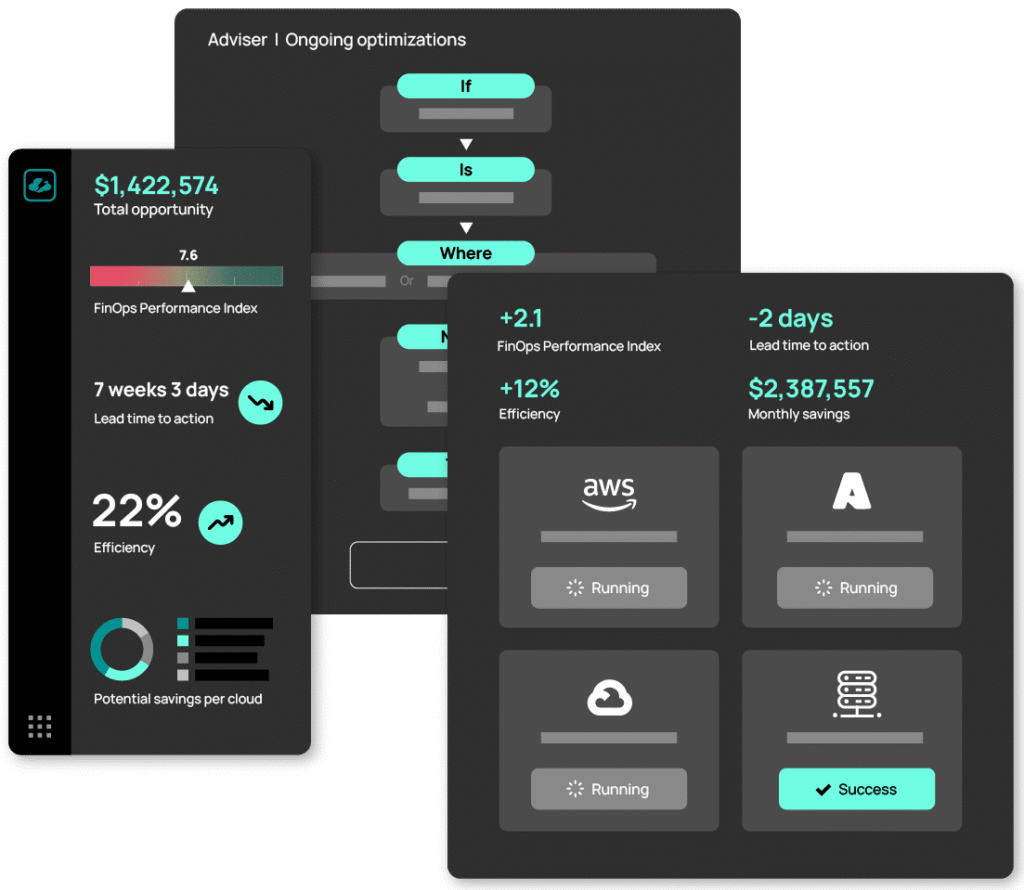
The operational advantage becomes clear during Microsoft’s periodic API deprecations. Custom scripts require immediate developer attention to update authentication flows, modify endpoint URLs, and retest billing reconciliation logic. Pre-built integrations handle these transitions transparently, maintaining continuous billing operations without emergency engineering work.
Automated customer lifecycle management
Customer lifecycle automation begins with tenant provisioning and extends through the entire relationship, from initial Azure AD configuration to eventual offboarding and data retention compliance. Otherwise, manual customer onboarding can take 2-4 hours per tenant to configure Azure AD settings, assign subscriptions, establish baseline security policies, and coordinate with customer stakeholders.
API-driven tenant provisioning and Azure AD configuration
The customer creation API endpoint (POST https://api.partnercenter.microsoft.com/v1/customers) initiates new tenant provisioning by creating an Azure AD organization linked to your CSP relationship. After that, it returns a customer tenant ID used for all subsequent subscription and resource management operations. Note that some Partner Center API operations require the partner tenant ID in the request path for proper authentication scoping.
Automated tenant provisioning should immediately configure baseline Azure AD settings:
- Conditional access policies for location-based authentication and device compliance requirements
- Security defaults enabling MFA requirements across all administrative accounts
- Named administrator accounts are separate from emergency access credentials for break-glass scenarios
Initial subscription assignment occurs through the order submission API (POST https://api.partnercenter.microsoft.com/v1/customers/{customerId}/orders), specifying product SKUs, license quantities, and billing cycle preferences based on customer requirements.
Managing indirect reseller relationships and hierarchies
MSPs operating as indirect providers manage relationships with multiple indirect resellers through Partner Center’s three-tier model. Automation systems should handle relationship approval queues, monitor pending reseller requests, and automatically approve them based on predefined criteria such as reseller certification status or geographic territory assignments.
Customer relationship mapping becomes important when generating financial reports or allocating costs across reseller territories. Your automation platform should maintain metadata linking customers to managing resellers, tracking relationship start dates, and recording any relationship transfers between reseller partners.
Secure offboarding and data retention compliance
Customer offboarding requires careful orchestration to maintain compliance while protecting business interests. The offboarding automation sequence should suspend customer subscriptions rather than immediately cancelling them, allowing a 30-day grace period. It should also export billing history to long-term storage, remove customer users from shared management tools, and archive Azure AD audit logs for compliance retention periods.
Offboarding best practice
Azure resources require special handling during the termination of the relationship. Immediate deletion could result in data loss during disputed terminations. Instead, consider transferring resource ownership to customer-controlled subscriptions or maintaining read-only access during contractual dispute resolution periods.
Billing automation and cost management
Partner Center billing APIs expose usage data, reconciliation files, and invoice details that MSPs must process, allocate, and integrate with accounting systems. Manual billing reconciliation consumes significant finance team resources, particularly when managing hundreds of customers across multiple subscription types and billing cycles.
Automated usage data collection and normalization
Azure usage records can be retrieved via the Partner Center-rated usage API and provide daily compute, storage, and network resource consumption data. However, CSPs must normalize raw usage data through unit conversions, rate card application, and offer-specific pricing rules before cost allocation. A virtual machine usage record showing 720 hours of consumption needs a correct price-per-hour application based on CSP pricing tiers, negotiated discounts, and regional pricing variations.
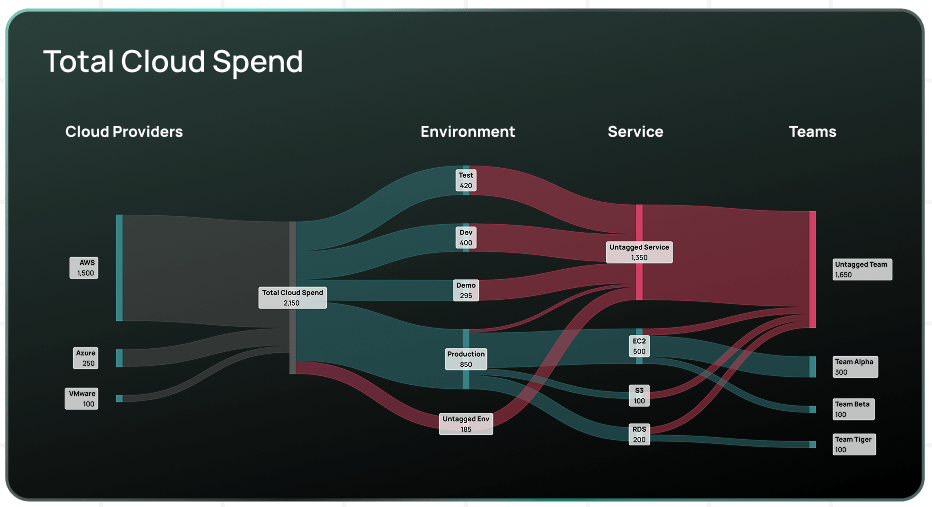
Multi-cloud MSPs face additional complexity when comparing Azure consumption against AWS and Google Cloud usage. CloudBolt’s unified cost reporting addresses this by normalizing usage data across cloud providers into consistent metrics. It enables direct cost comparison between Azure B2S instances, AWS t3.small, and GCP e2-small, even though providers report usage differently.
Invoice reconciliation and financial system integration
Partner Center generates monthly reconciliation files containing detailed charge breakdowns, credits, and adjustments. Automated billing systems download these files through the invoices API, parse line items per customer, and match charges against internally tracked usage records to identify discrepancies.
Common reconciliation challenges
- Usage reporting lag – Azure sometimes reports consumption days after actual use, creating timing mismatches between internal tracking and Partner Center billing.
- Credit application timing – Microsoft-issued credits might appear in billing periods different from those of the charges they offset.
- Subscription lifecycle changes – Mid-month subscription cancellations generate prorated charges requiring special handling in cost allocation workflows.
Integration with accounting platforms such as NetSuite or QuickBooks requires mapping Partner Center customer IDs to accounting system records and handling tax calculations across jurisdictions. Automated integration processes reconciliation files nightly, matches charges to customers, applies markup percentages, and generates draft invoices ready for finance review.
Customer-specific cost allocation and chargeback automation
MSPs serving enterprise customers need granular cost allocation beyond basic customer-level billing. Azure resource tagging enables departmental chargeback by assigning cost center identifiers to resources that automated systems use for allocation reporting.
CloudBolt’s chargeback capabilities support hierarchical customer structures, enabling multi-level cost distribution. A manufacturing customer might have separate cost centers for production facilities, corporate IT, and R&D. Each requires isolated billing visibility while rolling up to a master customer invoice.
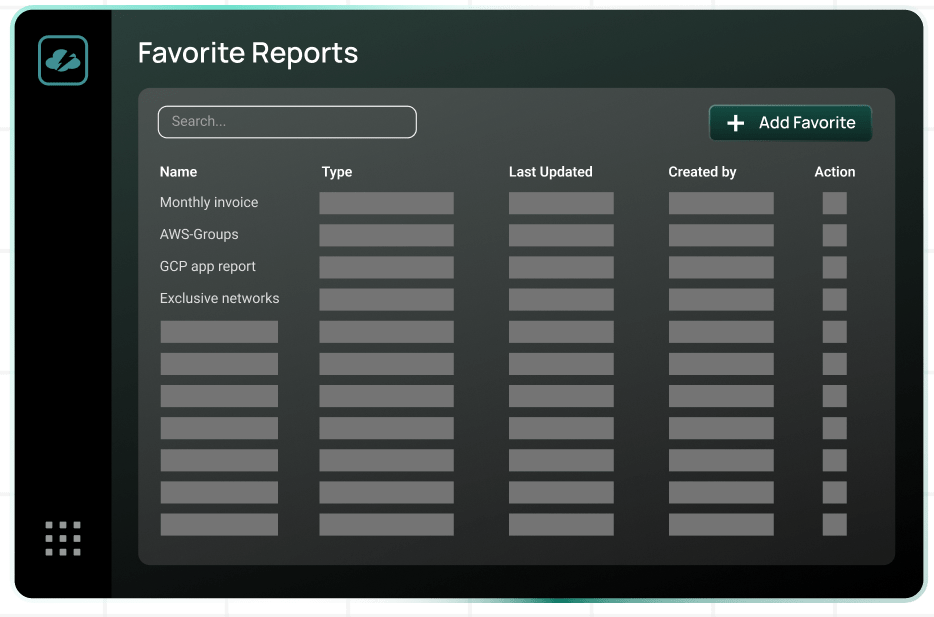
Shared resource cost allocation presents challenges when multiple departments use common Azure Virtual Networks or application services. Common allocation methods include equal distribution, proportional usage-based splitting, or custom percentage assignments based on negotiated agreements.
Self-service customer portals and real-time cost visibility
Major MSPs offer customer self-service portals that provide real-time visibility into Azure consumption, current-month cost projections, and historical spending trends.
Portal automation requires continuous data synchronization between Partner Center usage APIs and customer-facing dashboards, typically updating every few hours. White-labeled portals should present billing information under MSP branding while maintaining data security boundaries between customers. Real-time cost visibility helps customers make informed decisions about resource scaling and budget adherence. E.g., when customers see they are trending toward 130% of their monthly budget by day 20, they can proactively rightsize resources rather than receiving unexpected invoices at month’s end.
Multi-cloud provisioning and orchestration
CSP automation focuses solely on Microsoft services becomes limiting as customers adopt multi-cloud strategies. Unified provisioning workflows reduce operational complexity while maintaining consistent security policies and cost management across diverse cloud platforms.
Extending automation beyond Microsoft ecosystems
Partner Center APIs handle Microsoft-specific provisioning, but multi-cloud customers require integrated workflows that span multiple provider APIs. Cross-platform provisioning typically uses infrastructure-as-code tools like Terraform as orchestration layers. It provides unified deployment interfaces that allow the same workflow to provision Azure resources via ARM templates and AWS resources via CloudFormation equivalents.
Unified customer portals and service catalogue integration
Multi-cloud service catalogues present standardized offerings that abstract infrastructure complexity. Rather than forcing customers to understand the differences between Azure App Service and AWS Elastic Beanstalk, portals offer “Managed PaaS Application Hosting,” with automation selecting the optimal platform based on requirements and costs.
Service catalogue advantage
Catalog-driven provisioning simplifies governance enforcement. Every catalog item includes pre-approved configuration templates satisfying security policies, compliance requirements, and operational standards, enabling deployment flexibility without concerns about non-compliant resource configurations.
Cross-platform billing consolidation and cost optimization
Multi-cloud cost aggregation collects billing data from disparate sources, including Partner Center APIs, AWS Cost Explorer, and Google Cloud Billing. Each provider structures usage data differently:
- Azure reports by subscription and resource group
- AWS by account and service
- Google Cloud by project and SKU.
Normalization transforms these different formats into consistent cost hierarchies with standardized metrics, enabling unified reporting structures where costs can be compared and analyzed across cloud platforms regardless of their native billing formats.
CloudBolt’s multi-cloud cost management addresses consolidation complexity by providing unified data pipelines that ingest usage data from all major providers.
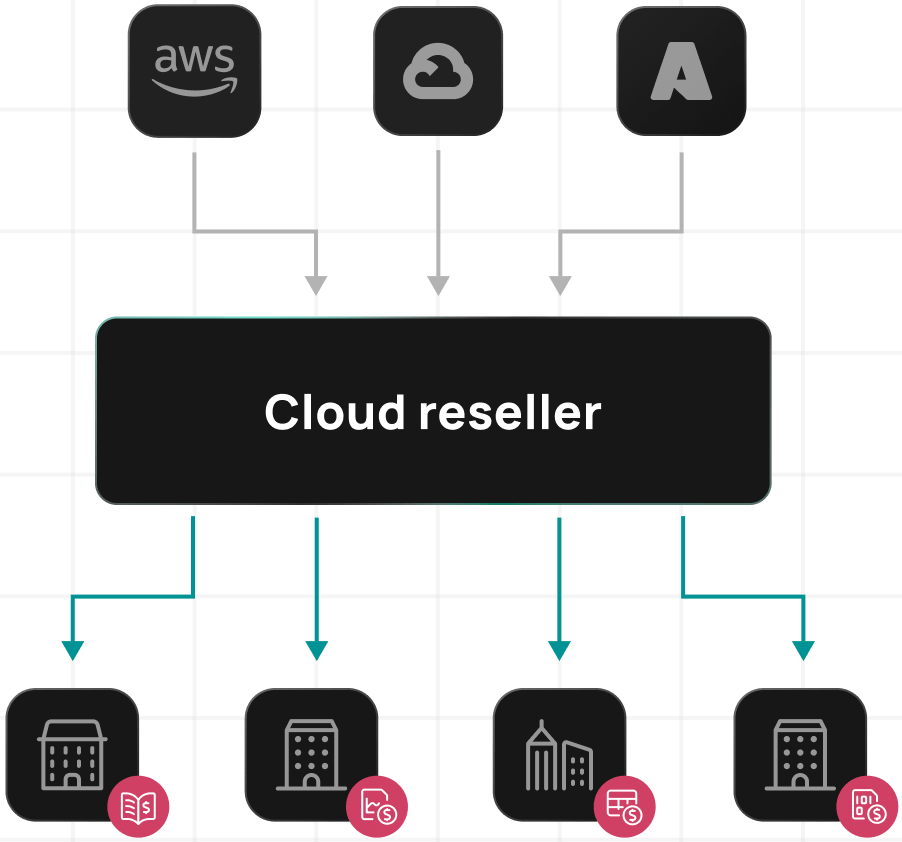
Cross-platform optimization identifies workload migration opportunities between clouds to reduce costs, accounting for data transfer costs, application dependencies, and differences in infrastructure pricing.
Operational monitoring and governance
Automated CSP environments require continuous monitoring beyond basic infrastructure health checks. MSPs must track customer resource consumption patterns, detect policy violations, and maintain compliance across hundreds of customer tenants simultaneously.
Customer environment health tracking and incident workflows
Partner Center Service Health API exposes Microsoft service incidents affecting customer environments. Automation should continuously monitor these, correlate them with customer tickets in your service management platform, and proactively notify customers about Azure outages.
Resource-level monitoring extends to customer-specific metrics, such as virtual machine CPU utilization and database transaction rates. Automated alerting triggers when customer resources approach capacity limits, enabling proactive intervention before service degradation occurs.
Compliance automation and policy enforcement
Multi-tenant MSP environments face compliance complexity where different customers operate under different regulatory frameworks. Azure Policy integration enables automated compliance enforcement across customer tenants by deploying standardized policy sets during onboarding to ensure production resources are encrypted, public internet access is disabled, and network segmentation is enforced.
Continuous compliance monitoring workflow
- Policy drift detection – Azure Security Center identifies configuration changes outside approved boundaries.
- Automated remediation – Workflows reverse unauthorized changes while maintaining audit trails.
- Exception management – Approval workflows handle legitimate business needs that require temporary compliance deviations.
Monitoring cost drift and budget alert automation
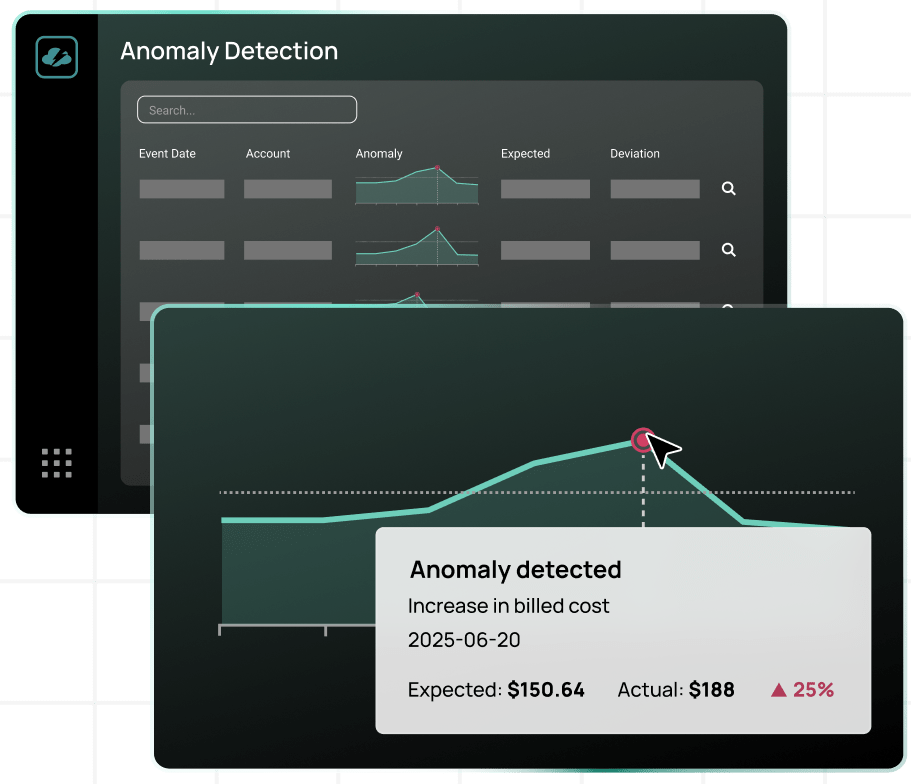
Customer spending patterns fluctuate with workload cycles, but sudden, unexpected cost increases often indicate a resource misconfiguration. Automated cost monitoring should establish baseline spending patterns per customer and detect statistically significant deviations.
CloudBolt’s continuous optimization automates drift detection by comparing actual spending with forecast budgets, accounting for historical patterns and known upcoming events. When actual costs deviate significantly from predictions, automated workflows alert billing teams and drill down to the specific resources driving unexpected charges.
Budget enforcement strategy
When customers approach defined monthly budgets, automation might send warning notifications at an 80% threshold or implement approval workflows for new resource deployments at 90%, preventing budget overruns while maintaining service availability.
Security and compliance automation
CSP environments handle authentication, authorization, and data protection across multiple customer tenants, each with distinct security requirements. Manual security administration creates consistency risks and delays policy enforcement during security incidents.
Azure AD automation and conditional access policies
Conditional access policy automation deploys standardized security controls across customer tenants based on each tenant’s risk profile. Automated policy deployment occurs during customer onboarding through Microsoft Graph API calls that create conditional access rules, configure security defaults, and establish password policies aligned with customer requirements.
Identity governance automation should handle Azure AD user lifecycle management, including automated provisioning from HR systems and automated deprovisioning when employees leave. Privileged Identity Management (PIM) integration should provide just-in-time administrative access rather than persistent elevated permissions, reducing security exposure.
Security baseline enforcement and configuration management
CIS benchmarks and Azure Security Benchmark provide standardized configuration baselines that automation can enforce across customer environments. Automated baseline deployment should occur immediately after subscription provisioning. It can configure network security groups, enable Azure Defender protections, and establish storage encryption requirements.
Configuration drift detection compares actual resource configurations against approved baselines, identifying unauthorized changes requiring remediation. Security configuration automation should adapt to resource classification. E.g., production databases that store customer PII require stricter controls than test data in the development environment.
Backup automation and disaster recovery orchestration
Azure Backup automation creates recovery capabilities for customer virtual machines, databases, and file shares according to defined retention policies. Different customer tiers might receive different backup frequencies. For example, enterprise customers get hourly backups with 90-day retention, while standard customers receive daily backups with 30-day retention.
Backup verification essentials
- Automated restore testing – Periodic attempts to restore random backup sets confirm data integrity.
- Recovery time validation – Testing verifies actual recovery times match SLA commitments.
- Continuous validation – Prevents discovering backup failures only during emergency restorations.
The MSP landscape is shifting fast. Hear experts discuss how to deliver what customers want most: better cloud spend optimization, automation, and multi-cloud flexibility.
Conclusion
Microsoft CSP automation transforms MSP operations by integrating API workflows for customer provisioning, billing reconciliation, multi-cloud orchestration, and continuous security enforcement. Successful implementations balance customization flexibility with operational consistency, leveraging pre-built integrations for standard workflows while supporting custom automation for unique business requirements.
The migration from manual CSP management to comprehensive automation follows an iterative path. Start with billing automation to reduce month-end reconciliation burdens, expand into customer lifecycle management to streamline onboarding workflows, and ultimately achieve end-to-end automation spanning provisioning, monitoring, optimization, and security operations.Modern CSP automation platforms like CloudBolt provide integrated capabilities addressing the full automation lifecycle, from Partner Center API integration and multi-cloud cost consolidation to automated chargeback and policy-driven optimization. By eliminating manual processes, MSPs can scale customer portfolios while maintaining service quality, improving financial accuracy, and delivering competitive cloud management services.


Related Blogs
Why Cloud Resource Optimization Is Moving Beyond Recommendations
Cloud resource optimization has typically followed this pattern: teams identify inefficiencies, generate recommendations, review them, and apply changes where it feels safe to…