Public cloud services are a staple of modern businesses, but moving every application to one provider, or to public cloud services at all, carries real risk. That’s why many organizations still run workloads on-premises or in a private cloud with integrated IT infrastructure.
A hybrid architecture can combine the best of both worlds, enabling the benefits of public cloud while limiting the risks of relying on a single provider. However, effective hybrid cloud management requires a specific strategy to address the additional complexity.
The calculation has also shifted since 2023. Broadcom’s changes to VMware licensing pushed many teams to re-price and rethink their private cloud computing, and AI workloads have added new reasons to keep certain data and compute close to home.
Summary of key hybrid cloud management concepts
The table below summarizes the concepts this article covers.
| Concept | Pros | Cons |
|---|---|---|
| Containerization | Provides a lightweight and isolated application environment. | Offers little resource management, cluster configuration, or scheduling when used in isolation. |
| Software-defined networking | Allows programmable network configurations to manage the connectivity between public and private clouds. | Can be challenging to implement without disruption on anything other than a green-field deployment. |
| Edge computing | Brings resources closer to the data source, reducing latency and enabling real-time data processing and analysis. | Potentially makes management even more complex through additional hardware and networking requirements. |
| Hyperconverged infrastructure | Compute, networking, and storage are contained within a single appliance with a single management suite. | Vendor locking can be an issue, as can restrictive scaling options. |
What is hybrid cloud infrastructure?
Hybrid cloud infrastructure is a computing environment that combines at least one public cloud with private cloud environments or on-premises infrastructure, managed as one environment. When more than one public cloud is involved, it’s often called hybrid multicloud. A hybrid approach takes advantage of public and private benefits while removing some constraints of using only one service model, allowing organizations to run workloads where it makes the most sense.
Comparing public vs. private cloud
The table below compares the two models and the tradeoffs a hybrid approach has to balance.
| Public cloud | Private cloud | |
|---|---|---|
| Scalability | Easy to rapidly scale resources up or down at a pace based on demand. | Available resources are typically static over longer periods. Reaction to changes in demand is slow. |
| Pricing | A pay-as-you-go model eliminates the need for upfront capital expenditure on hardware that may only be partially utilized at times. Still, billing can be irregular and unexpected if not tightly controlled. | Initial hardware purchase requires a relatively large expenditure and a struggle to balance between having enough resources available for periods of high demand and not having excessive amounts of hardware underutilized at other times. However, operational costs are often lower and more predictable after the initial investment. |
| Location | A vast network of data centers spread across multiple geographic regions enables application deployments closer to the end-users, providing lower latency performance at the potential cost of loss of data sovereignty. | Having all resources held in a specific geographic area can be an advantage from a data sovereignty perspective but can lead to an increased risk of downtime and data loss due to natural disasters, power outages, or other localized disruptions.Ultra-low latency is possible if the private cloud is placed close to users, but higher latency occurs for users not physically close to the resources. |
| Managed services | Managed services offload infrastructure management and maintenance burden, but customization options are often restricted while the cloud provider dictates release and retirement cycles. | Although additional management is needed for ongoing maintenance, monitoring, and upgrades to ensure performance, security, and compatibility with evolving technologies, greater freedom and customization options are available. |
| Security | Although physical security is likely to be considered ‘best in class’, concerns over shared tenancy can be an issue | Direct control over the infrastructure allows the implementation of specific security measures and access controls, which can be essential for compliance and regulatory purposes. |
Clearly, there is a tradeoff between simplicity and scalability (public cloud) and control and flexibility (private cloud). Hybrid cloud lets organizations fine tune their choices to find a balance that fits their needs.
Characteristics of hybrid cloud architecture
Not every mix of on-premises and public cloud counts as hybrid cloud architecture. A true hybrid cloud strategy environment shows some or all of these characteristics.
- Integration: Data and application portability lets critical workloads move between environments as needed.
- Resource bursting: When more capacity is needed during peak periods, workloads can shift to different environments or another platform.
- Data placement and management: Sensitive data stays in a private cloud, while non-sensitive data goes to the public cloud for cost and scale.
- Hybrid networking: Secure connections move data between platforms.
- Disaster recovery and business continuity: Applications and data are replicated across platforms for high availability and less risk of data loss while meeting regulatory requirements.

For example, a web application might serve its front end from public cloud regions close to users and burst there during peaks, while keeping back-end data in a private cloud for sovereignty or compliance, with a secure network between the two.
Common hybrid cloud use cases
- Regulated data: Banks, insurers, and healthcare providers often keep core systems and sensitive records on private infrastructure to meet compliance requirements, while running customer-facing apps and analytics in the public cloud.
- Seasonal bursting: A retailer can run steady workloads on owned infrastructure and burst into public cloud capacity for peak periods like the holidays, rather than buying hardware that sits idle the rest of the year.
- VMware migration: Teams moving off VMware typically run old and new platforms side by side for months or years, which makes their environment hybrid for the length of the move.
- AI workloads: Organizations training models on sensitive data often keep that data and the GPUs close to home, then use public cloud capacity for experimentation or inference.
Hybrid cloud complexities
Managing an environment with any of these characteristics is hard. Each public cloud provider has its own GUI, APIs, and CLI, while a private cloud may add more when multiple platforms are involved.
Even Terraform, which claims to “provision and manage resources in any cloud or data center as code,” requires different code and syntax for similar infrastructure across AWS, Azure, GCP and private platforms.
This leaves many enterprises with a different tech stacks and skill set for each cloud model, and each one tends to become its own silo. Unifying them is hard even when different clouds are used to host distinct products, and harder still when a single product spans several providers.
The private side has also gotten less stable. After Broadcom acquired VMware in late 2023, licensing and packaging changes led many organizations to move some workloads to Nutanix, Hyper-V, Azure Local, or OpenShift Virtualization, depending on various use cases. A migration like that means running two private platforms side by side for months, each with its own tooling, while the business still expects the same delivery speed and the same controls.
Add data sovereignty, cost, SLAs, and user requirements, and hybrid environments become hard to run without tools that orchestrate and automate across all of them.
Simplifying hybrid cloud management
Several technologies make hybrid environments easier to run.
Containerization and Kubernetes
Containers provide a lightweight, isolated application environment but offer little resource management, cluster configuration, or scheduling on their own. Kubernetes handles the deployment, scaling, and management of containerized applications, which is what makes them portable across environments.
Kubernetes has also become a landing spot for virtual machines. KubeVirt, and Red Hat’s commercial version of it, OpenShift Virtualization, run VMs alongside containers on the same cluster, which is why it shows up on so many VMware exit plans. It cuts down the number of platforms to run, but it’s still one more environment that needs the same provisioning rules, approvals, and access controls as everything else.
Software-defined networking
Software-defined networking makes network configuration programmable, so teams can manage connectivity between public and private environments, optimizing traffic flow and secure cross-platform communication.

Edge computing moves compute closer to where data is created, which cuts latency and enables real-time processing, but it adds hardware and locations to manage. Providers now sell edge extensions of their platforms, such as AWS Outposts and Azure Local, managed from a familiar console.
Hyperconverged infrastructure

Hyperconverged infrastructure can simplify private cloud management by providing compute, storage, and networking in a single appliance with one management suite.
It often reduces complexity, but cross-vendor support is rare, which leads to lock-in, and fixed appliance specs can force you to buy storage and networking when you only need compute.
The lock-in risk got concrete for VMware customers. Broadcom’s shift to bundled VMware Cloud Foundation subscriptions raised costs for many vSAN-based environments, and teams that had standardized on one vendor’s stack found there was no quick way out.
Multi-cloud management platforms

How do multi-cloud management platforms help?
Multi-cloud management platforms reduce that complexity, so teams get the benefits of public and private cloud without the extra management overhead.
The main benefits are below.
- Governance at scale: Policies for security, regulatory compliance, tagging, and budget are enforced the same way in every environment. You get one record of who built what, where, and whether it followed the rules, which makes audits much easier.
- Consistent provisioning: Rather than learning the GUI, APIs, and CLI for each platform, teams request infrastructure through one self-service catalog. The platform calls tools like Terraform and Ansible underneath, using pre-approved templates and guardrails, so less technical users can serve themselves and shadow IT shrinks.
- Extensibility: A good platform adapts to how your organization works. If it doesn’t support something today, your team should be able to build it in hours without waiting on a vendor roadmap.
- No ecosystem lock-in: The management layer should connect to AWS, Azure, GCP, VMware, and the VMware alternatives without becoming another ecosystem itself. When you change a provider, a hypervisor, or a tool, the way you deliver infrastructure stays the same.
- Operational efficiency and cost visibility: Automating common workflows shortens time-to-value for new services, and showing estimated cost before a request is approved keeps spend visible across every environment.
Developing a hybrid cloud management strategy
A hybrid cloud management strategy starts with deciding which workloads belong where, and why. Data sensitivity, latency, compliance scope, and cost profile usually settle it. Steady, predictable workloads often cost less on owned or reserved infrastructure, while spiky or experimental ones fit the public cloud. Furthermore, data protection concerns have become increasingly relevant. AI has added another factor. Training and inference on sensitive data, along with GPU capacity that’s scarce and expensive, are leading more teams to keep some compute in private or specialized environments.
The second part of the strategy is planning for those cost control decisions to change, including considerations of service level agreements. Providers re-price, hypervisor vendors get acquired, and regulations like the EU Data Act shift what’s allowed where. If provisioning and governance live in a layer above any single platform, moving a workload means pointing it at a new target while the approvals, policies, and access rules stay the same.
Hybrid cloud management tools and platforms
Most hybrid environments already run a stack of capable tools. Terraform (or OpenTofu, its open-source fork) provisions public cloud resources infrastructure, Ansible handles configuration, Kubernetes runs containers, and ServiceNow or Jira manages requests and approvals. Each tool’s automation only covers its own piece, though. None of them on its own delivers a complete production build with the approvals, tags, CMDB entry, IP address, and DNS record that build requires.
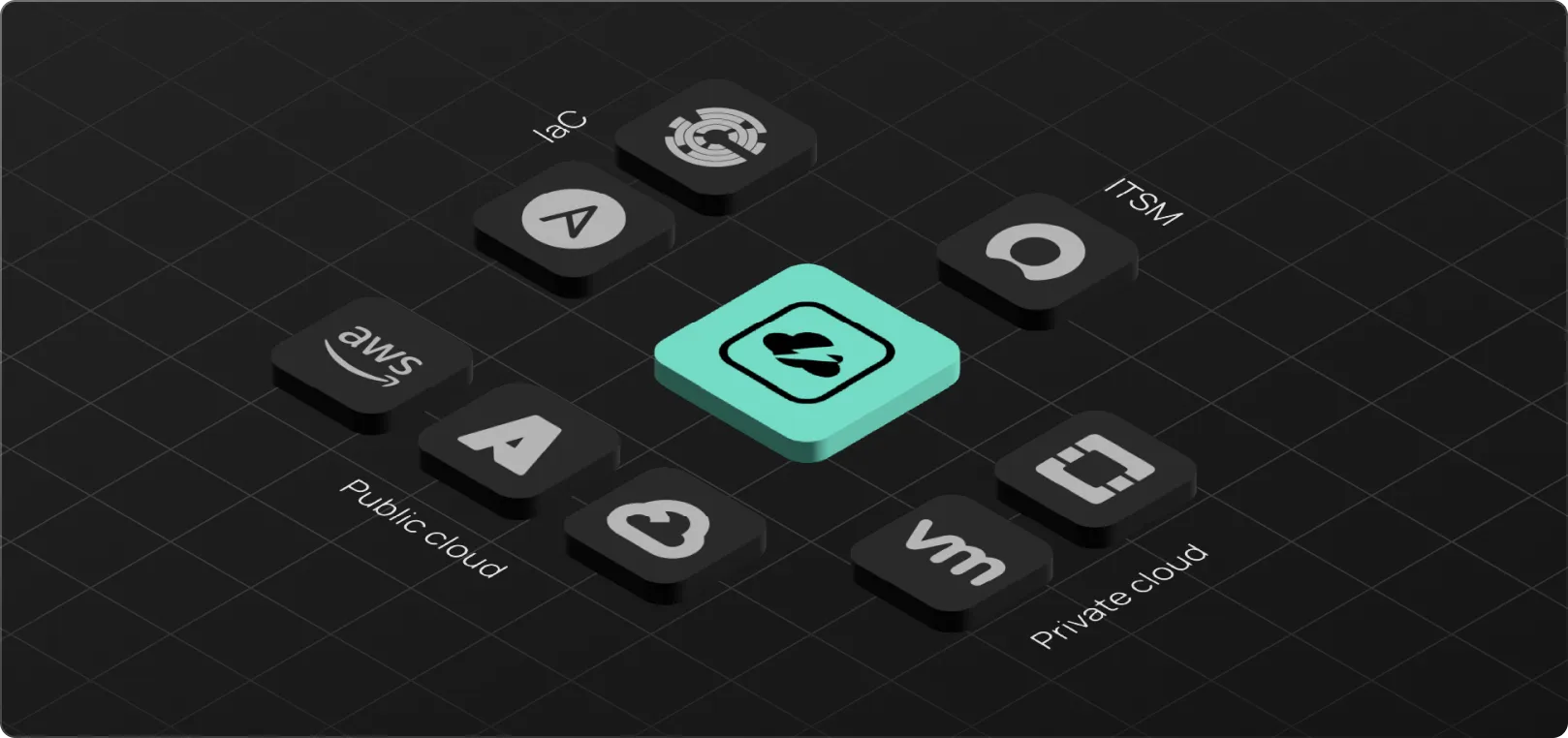
A hybrid cloud management platform such as CloudBolt CMP sits above those tools and calls them underneath instead of replacing them. One request runs through approval, provisioning, configuration, and registration as a single governed workflow for IT teams across public clouds, VMware, and VMware alternatives alike. CMP is built on Python, so teams can extend it to fit their own processes without waiting on a vendor’s roadmap.
Security and compliance in hybrid cloud management
Security in a hybrid environment tends to break down at the seams between platforms. Each platform has its own identity model, policy engine, and access management audit log, making data security crucial, so the same rule ends up enforced three different ways, or not at all.
The most reliable fix is to build the controls into the request itself, especially for hybrid infrastructure. In CloudBolt CMP, tagging, security policy, cost limits, and compliance requirements are built into each blueprint before it reaches the self-service catalog, so every deployment follows them automatically. Role-based access control exposes specific actions to specific users without handing out broad admin rights, and every action is attributed and logged for audit. The same permissions apply when an AI agent makes a request through CMP’s Model Context Protocol (MCP) support, so agents work within your existing controls and never get a separate path around them.
Conclusion
Hybrid cloud gives organizations a real choice about where each workload runs, and that choice matters more now that private infrastructure economics and AI requirements are shifting. The trade-off is complexity, with more consoles, more tools, and more places for governance to slip, making a single pane of glass for management essential.
A hybrid cloud management platform such as CloudBolt CMP keeps that complexity in check with one governed workflow across every environment you run. Your teams keep the clouds and tools they already use, and you keep the option to change any of them later without rebuilding how infrastructure gets delivered, allowing for a unified platform experience.


Related Blogs
How StormForge automated Kubernetes rightsizing across hundreds of clusters
A global enterprise software company used Kubecost to see what its Kubernetes workloads cost, but engineers rarely changed anything. It…